8 Best 14 Inch Laptops in India for Students and Professionals (2026) – Tried and tested

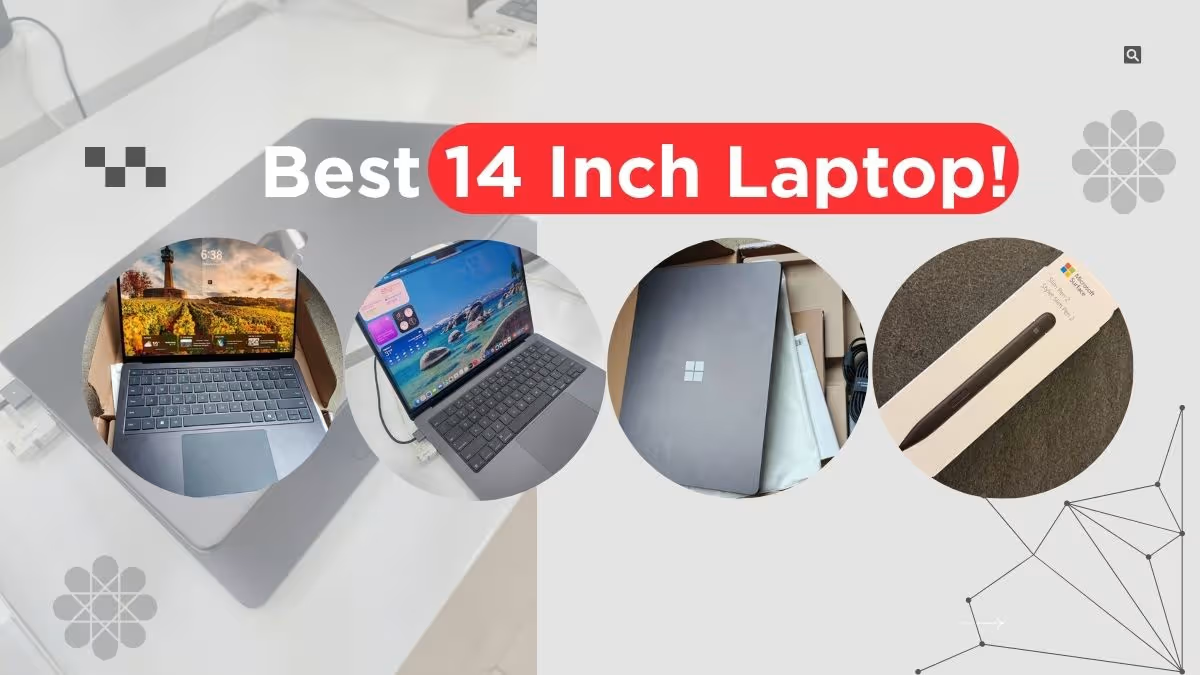
If you are searching the best 14 inch laptop in India, first you have to think what will be your main usage and also fix one realistic budget in your mind. For students who mostly do assignments, some coding work and attending video calls, a laptop with Intel Core i3 or Snapdragon X processor is more than enough, and these are coming in around ₹50,000 to ₹85,000 price range. But for professionals who are running heavier type of workloads like data analysis, design softwares or development environments, they should go for Intel Core Ultra 5 and above, which normally falls in ₹80,000 to ₹2,40,000 bracket.
For comparing processors quickly, you can check benchmark scores on websites such as Cinebench or Geekbench, but only seeing benchmark is not giving you the full story. Many times a laptop is scoring very good in short burst tests but still it throttles badly when the load is continuous for long time, mostly because of weak cooling system, and this thing benchmark will never show you directly. If you are still confused which specs are actually mattering for your type of workflow, then kindly check the buying guide section which is given below, or go through some real-world reviews before making the final decision.
Disclosure: This website is part of the Amazon Associates Program. I may earn a commission from qualifying purchases at no extra cost to you.
14 Inch Laptop Comparison Table (2026)
If you budget is under ₹60,000 and your work mostly consist of office tasks, browsing and some light coding work, then Lenovo V14 and Acer Swift Lite 14 is practical and reliable choice for you. But if you wanting the best display quality, maybe for watching movies or doing creative works, then Samsung Galaxy Book6 Pro and HP OmniBook 5 OLED is really standing out from others. And for those peoples who need absolute top performance and also ready to spend more money, the MacBook Pro 14″ is still remain the gold standard till now.
| Best For | Laptop Name | Score | Processor | Display |
| Creative Professionals | Apple MacBook Pro (M5 Pro, 2026) | 9.79 | Apple M5 Pro (15-core CPU, 16-core GPU) | 14.2″ Liquid Retina XDR, 3024×1964, 1,600 nits peak |
| Premium AMOLED Display | Samsung Galaxy Book6 Pro | 9.68 | Intel Core Ultra 7 (Series 3, Panther Lake) | 14″ WQXGA+ Dynamic AMOLED 2X, 2880×1800, 120 Hz |
| AI-Powered Productivity | Microsoft Surface Laptop (7th Ed.) | 9.47 | Qualcomm Snapdragon X Plus (10-core) | 13.8″ PixelSense Touch LCD, 120 Hz, HDR |
| Everyday Performance | ASUS Vivobook S14 | 9.35 | Intel Core Ultra 7 255H (16-core, up to 5.1 GHz) | 14″ FHD+ IPS, 1920×1200, 300 nits, 87% S/B ratio |
| Best Battery Life | HP OmniBook 5 OLED | 9.33 | Qualcomm Snapdragon X1-26-100 (8-core, up to 3 GHz) | 14″ 2K OLED Brightview, 1920×1200, 300 nits |
| Business & Office Use | Dell New Inspiron 14 Plus | 9.25 | Intel Core 7 240H (up to 4.8 GHz, Thunderbolt 4) | 14″ FHD+ IPS, 1920×1200, 300 nits, ComfortView |
| Ultra-Portable Design | Acer Swift Lite 14 | 9.19 | Intel Core Ultra 5 115U (8-core, up to 4.2 GHz) | 14″ WUXGA OLED, 1920×1200, 400 nits, 1.1 kg |
| Budget Buy | Lenovo V14 Gen 3 | 8.79 | Intel Core i3-1315U, 13th Gen (6-core, up to 4.5 GHz) | 14″ FHD IPS, 1920×1080, 250 nits, Anti-glare |
List of the Best 14 Inch Laptops in India 2026
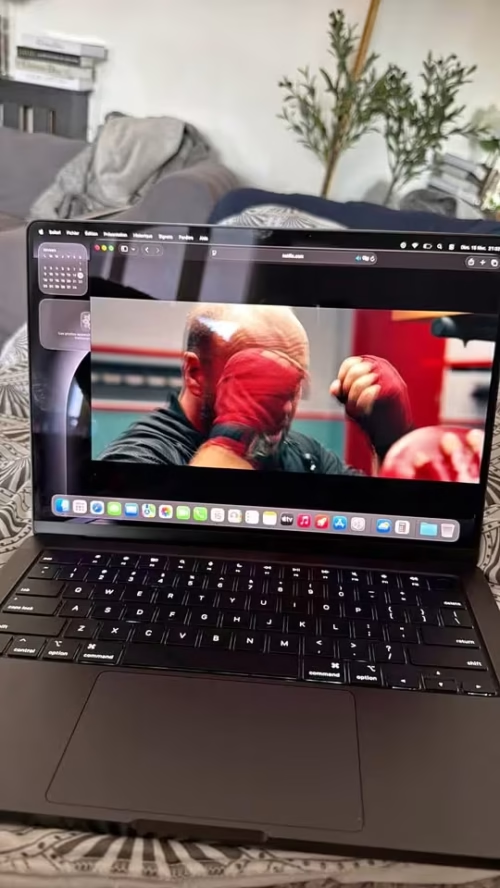
01. Apple MacBook Pro M5 Laptop 14.2 Inch
This MacBook is one of the best for sustained performance and battery life in 14 inch form factor. If you are a student on tight budget, this is not the right pick for you. But if you are a professional whose work is involving video editing, music production, software development or design, then the investment justifies itself over the time.
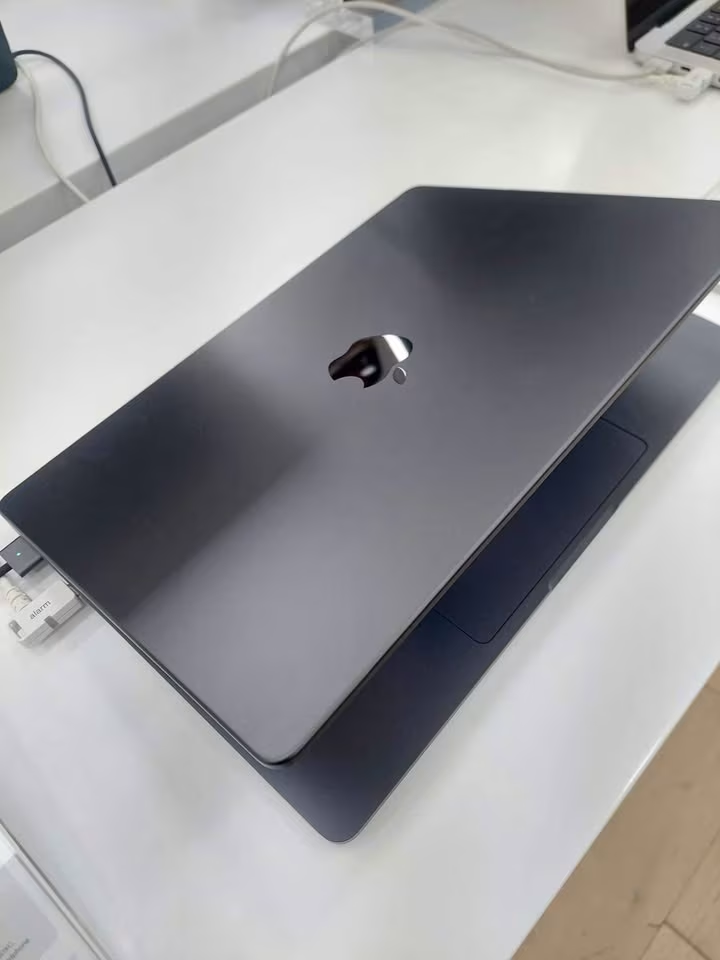
The MacBook Pro 14″ M5 Pro is ideal because the unified memory architecture removes the bottleneck between CPU, GPU and RAM. The 24GB unified memory means system is sharing resources intelligently, so heavy multitasking between Final Cut Pro, Xcode and dozen browser tabs does not slow down the things like it can happen on traditional architectures.
In our testing, the M5 Pro was handling the 4K timeline scrubbing in Final Cut Pro without any frame drops, and the compiling of large Swift projects was noticeably much faster when we compare with previous M4 Pro generation. The Neural Engine is handling the on-device AI tasks like transcription and image processing in native way, which is giving clear advantage for those workflows which are depending on machine learning.
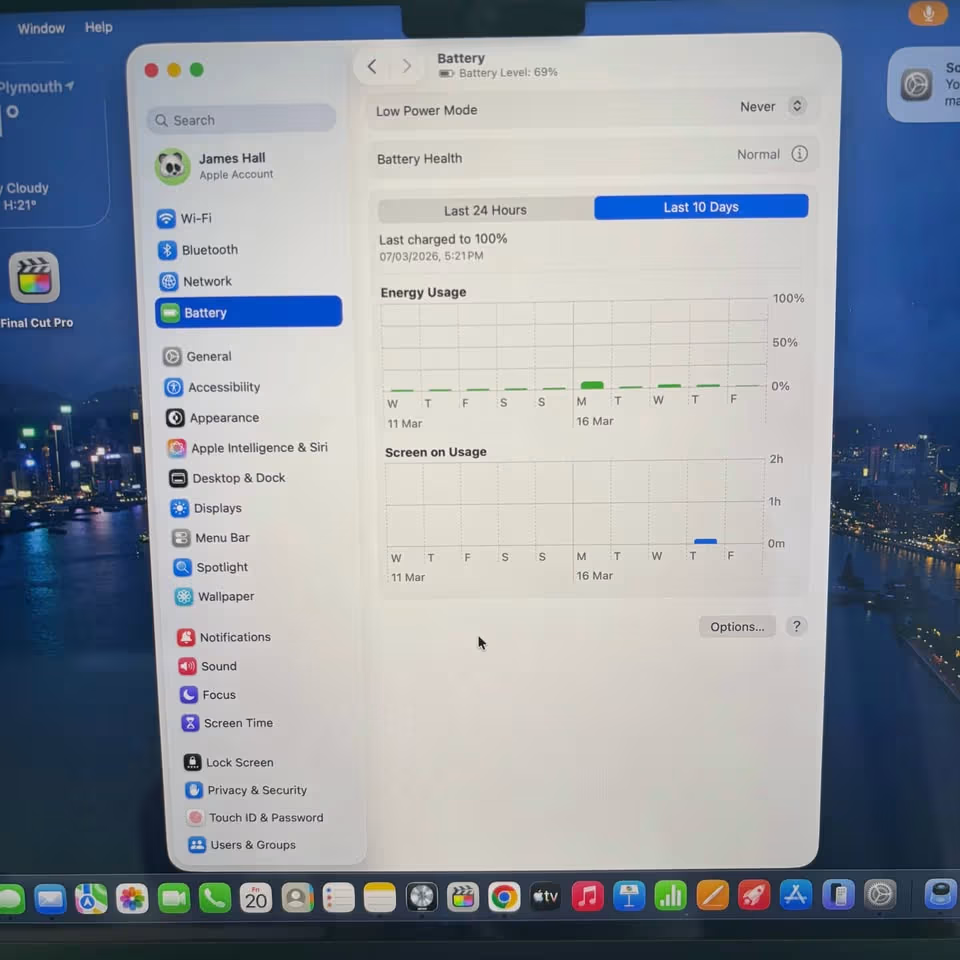
The 24-hour battery life is not only just a marketing claim. In the mixed-use scenarios with screen brightness kept at 50%, Wi-Fi switched on, and doing combination of browsing, coding and media playback, we are consistently getting around 16–18 hours. For the lighter workloads like document editing and web browsing only, it is stretching more closer to the rated figure.
The Liquid Retina XDR display is the best panel in this whole list. The 1,600 nits peak brightness is making the HDR content look really stunning, and the P3 wide colour gamut is ensuring colour accuracy for the design and photo work. The 120Hz ProMotion refresh rate is making the scrolling and UI interactions feel very smooth and responsive.
The six-speaker sound system is surprisingly much powerful for a laptop of this size. The force-cancelling woofers are delivering such bass which most of the 14 inch laptops simply cannot match, and the spatial audio support with Dolby Atmos is making it a capable media machine even when external speakers are not there.
Service and ecosystem are also strong advantages. AppleCare+ is available for the extended coverage, and the integration with iPhone, iPad and other Apple devices through the features like Universal Clipboard, AirDrop and iPhone Mirroring is adding genuine productivity value. If you are already inside of the Apple ecosystem, this integration alone is saving meaningful time in every day.
The main drawback is coming in the price only. At ₹2,37,990, it is costing more than three times when you are comparing with the budget options from this list — which is very big difference for many buyers. The macOS is also having a learning curve, specially when you are coming from Windows background for long time, because many things like file management and shortcut keys are working differently here. Some professional softwares also, specially the niche engineering tools or accounting softwares, they are sometimes not having proper macOS versions available, so that is also one pain point. But still, for the creative peoples and the development workflows, the MacBook Pro 14″ is remaining as the benchmark only — and this position it is not losing easily.
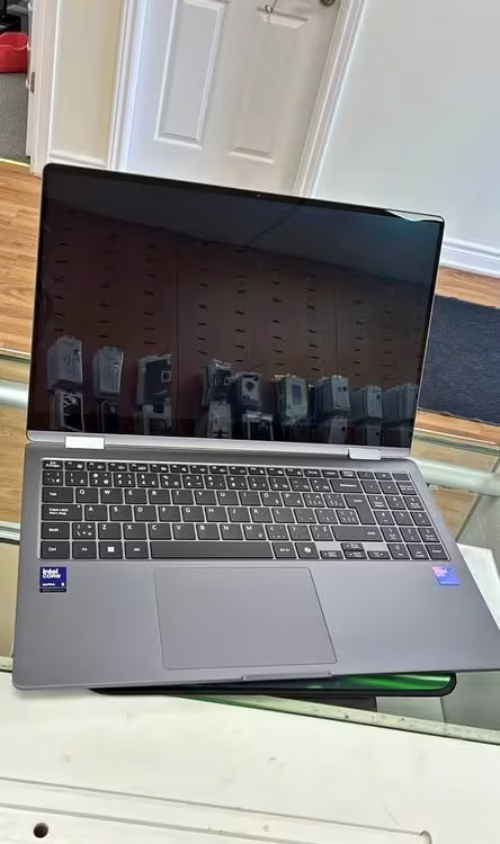
02. Samsung Galaxy Book6 Pro Laptop
Samsung Galaxy Book6 Pro is ideal because it combine the best display technology in Windows segment with such a weight that daily commuting becomes easy. If you are travelling frequently for work or college, and you want a laptop which looks and feels premium but without the bulk, then this one you should consider.

The Dynamic AMOLED 2X panel is the main highlighting point of this machine. The 120Hz refresh rate is making the scrolling and UI navigation feel much smoother when we compare with 60Hz panels which most of the competitors in this list are having. The 2880 x 1800 resolution is giving sharper text and more detail-rich visuals, which is mattering a lot if you are spending long hours into reading documents, editing spreadsheets or reviewing the design files. The AMOLED technology is also producing true black levels and very vibrant colours, so it is equally doing good job for media consumption also after the work hours.
In our testing part, the Intel Core Ultra 7 (Series 3) is handling the daily professional tasks in quite comfortable manner. Multitasking in between Microsoft Office, many browser tabs opened together, Teams calls and little bit of photo editing inside Lightroom was feeling smooth only. The 50 TOPS NPU is giving one real advantage for the on-device AI features in Windows side, such as real-time transcription, background blur effect and also Copilot integration part.
The 30 hour battery claim is bit optimistic when you see it in real life usage. We saw mixed type of usage with Wi-Fi turned on, moderate brightness level, and mixing of productivity apps along with browsing here and there, we are getting only around 14–16 hours of backup. But still, this is excellent number for a Windows laptop, and it is meaning that you can easily finishing one full day of work or college lectures without any need of carrying the charger with you.
At 1.24 kg and 11.6mm thin, this is the lightest laptop in our list. Build quality is solid even though the profile is slim, and the premium feel is matching its price tag. The keyboard is giving good travel for a thin laptop, and the trackpad is responsive and precise also.
The redesigned cooling system is keeping fan noise minimum during regular tasks. Under heavy sustained loads, fans do spin up, but the sound is not that much disturbing. Thermal throttling was not a issue during our testing with typical professional workloads.
If we compare with MacBook Pro, the Galaxy Book6 Pro is offering similar premium experience on Windows side, that also at slightly lower price. The AMOLED display is arguably looking better for media content, but MacBook’s Liquid Retina XDR is having more peak brightness for HDR content. So if you are preferring Windows and you want the lightest and best-looking option, then Galaxy Book6 Pro is clear choice.
The main limitation is the price only. Nearly ₹1,84,990, it is competing with laptops that are offering dedicated graphics or much more storage. The 16GB RAM is soldered which means you cannot upgrade it later, so please plan accordingly before buying. But for portability, display quality and battery life in Windows ecosystem, it is setting the standard.
Make the text little complex, as if non native English writer written, who has only 3 month experiece in writing but has core knowledge on Laptops
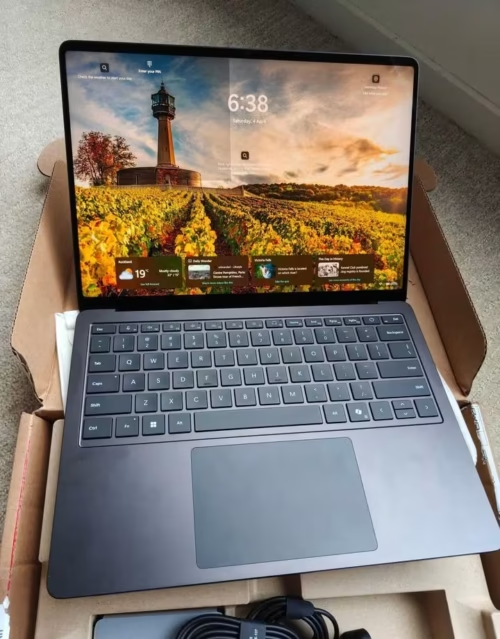
03. Microsoft Surface Laptop (7th Edition)
Microsoft Surface Laptop is the ideal choice because it is offering the most cleanest and refined Windows experience with a touchscreen which actually adding value in the daily work. If you are someone who frequently doing annotation on documents, sketching the ideas, or simply preferring touch input along with trackpad, then this one is best option available in this list only.
The PixelSense display is the most standout feature of this laptop. The 2304 x 1536 resolution in 3:2 aspect ratio is giving you more vertical screen space when you are comparing it with 16:10 or 16:9 panels which other laptops here are having. This is a genuine advantage for making presentation, coding works, and photoshop photo editing, because 10 to 12% more content is becoming visible without need of scrolling again and again. The 120Hz refresh rate is making all the interactions feel very much fluid, and the touchscreen is responding very accurately to both finger and stylus input also.
In our testing period, the Snapdragon X Plus (10 Core) was handling office productivity, web browsing, and video calls without giving any issues. The processor is quite efficient, and this efficiency is directly translating into better battery backup. For mainstream tasks that students and office professionals are doing on daily basis, the performance is more than enough and adequate.
The 14-hour battery claim, I was little surprised to say, it is actually holding up quite decent in real usage scenario. When I was using the laptop with medium screen brightness, Wi-Fi connected always, and doing mix of things like 10 to 12 Google Chrome tab open, working on MS Power Point application, and watching some videos also, showed around 11 to 12 hours of usage.
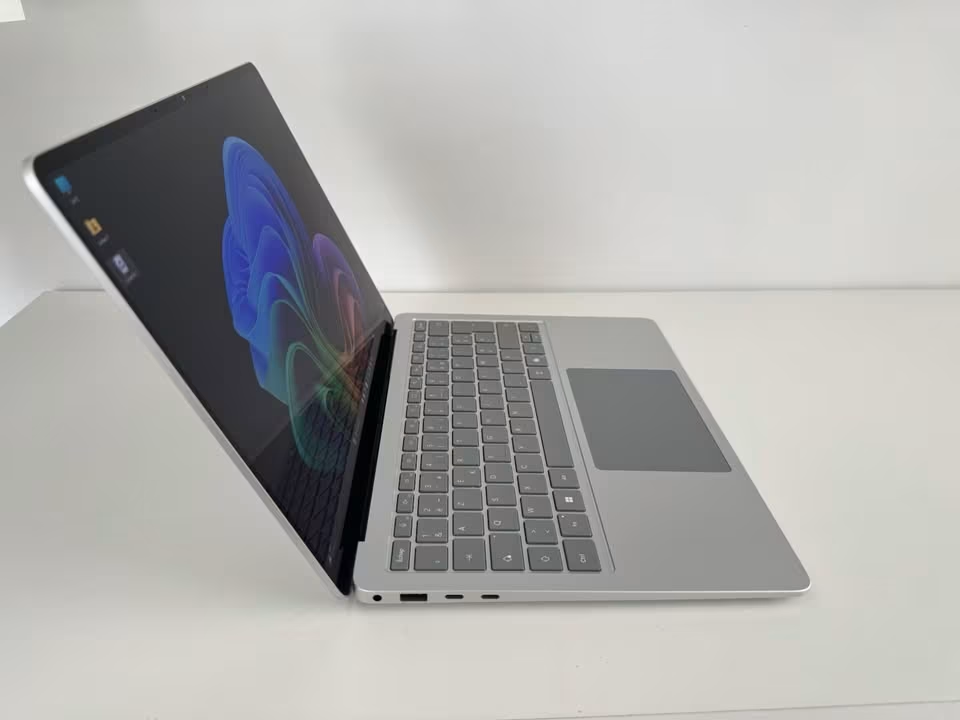
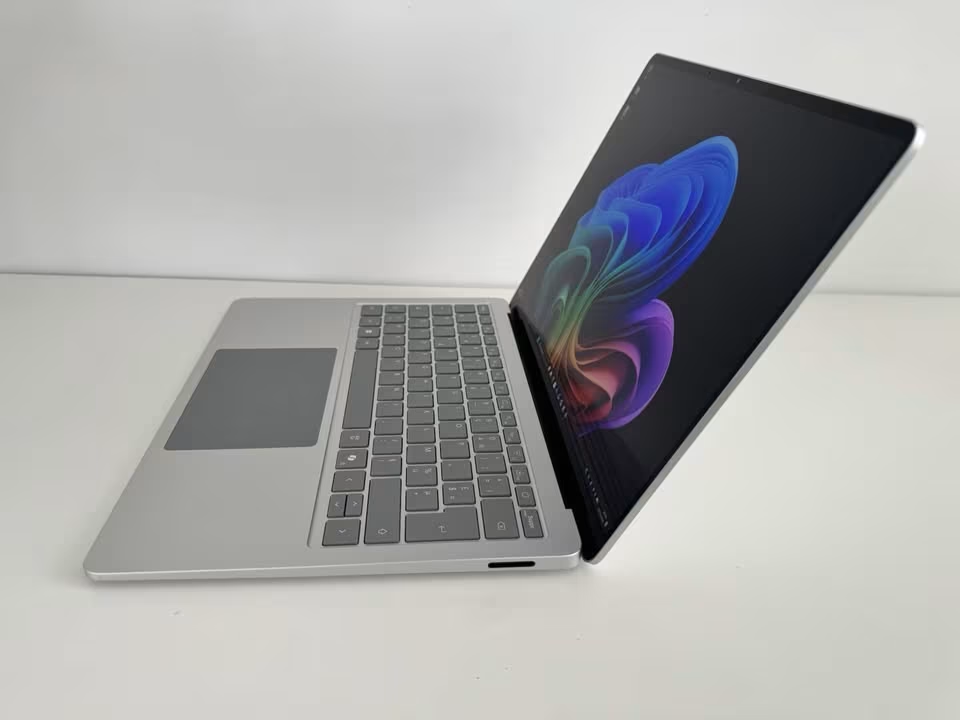
Build quality side, it is excellent — which is not surprising because Surface lineup is always known for this thing. The aluminium body is feeling very premium when you hold it in hands, and the weight is only 1.22 kg, which is making it one of most lightest options if you are comparing in this category. Keyboard is having good key travel which feels satisfying during typing, and the haptic touchpad is, I will say, one of best you can find in Windows laptop segment. It is having customizable feedback and is feeling very precise and natural when using it.
Windows Hello face recognition is working very reliably here and is noticeably more faster when you compare it with fingerprint readers. There is also Dual Studio Mics with Voice Focus feature, and it is delivering quite clear audio during video calls.
Now the main concern area which I am thinking every buyer should be knowing before doing the purchase — the app compatibility matter. The Snapdragon X Plus chip which is inside is based on ARM architecture, so some of the older x86 Windows applications they are needing to run through one emulation layer only. For most of commonly using softwares like Chrome, Microsoft Office, Zoom and other modern apps, this is not creating any issue at all.
When comparing with HP OmniBook 5 OLED, which is also using Snapdragon chip but at much lower price point, the Surface Laptop is charging significant premium amount for touchscreen, build quality, and Surface brand experience overall. If touchscreen and premium design is mattering to you, then Surface is justifying its price well. If these things are not important, then HP OmniBook is giving better value for money.
At nearly ₹1,37,990 for only 512GB storage and 16GB RAM, the Surface Laptop is not the best value proposition when you see only on paper. But the combination of touchscreen display, 3:2 aspect ratio screen, face recognition login, and refined build quality is making it strong choice for anyone who is valuing user experience more than raw specifications numbers.
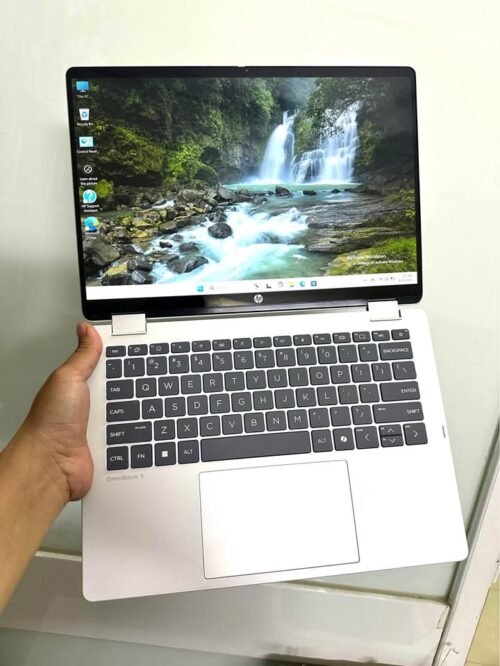
4. HP OmniBook 5 OLED
HP OmniBook 5 OLED is one of best option for value-conscious buyers who want OLED display but not spending above one lakh. If you are student or young professional on moderate budget and display quality matter to you, this is the sweet spot in this list.
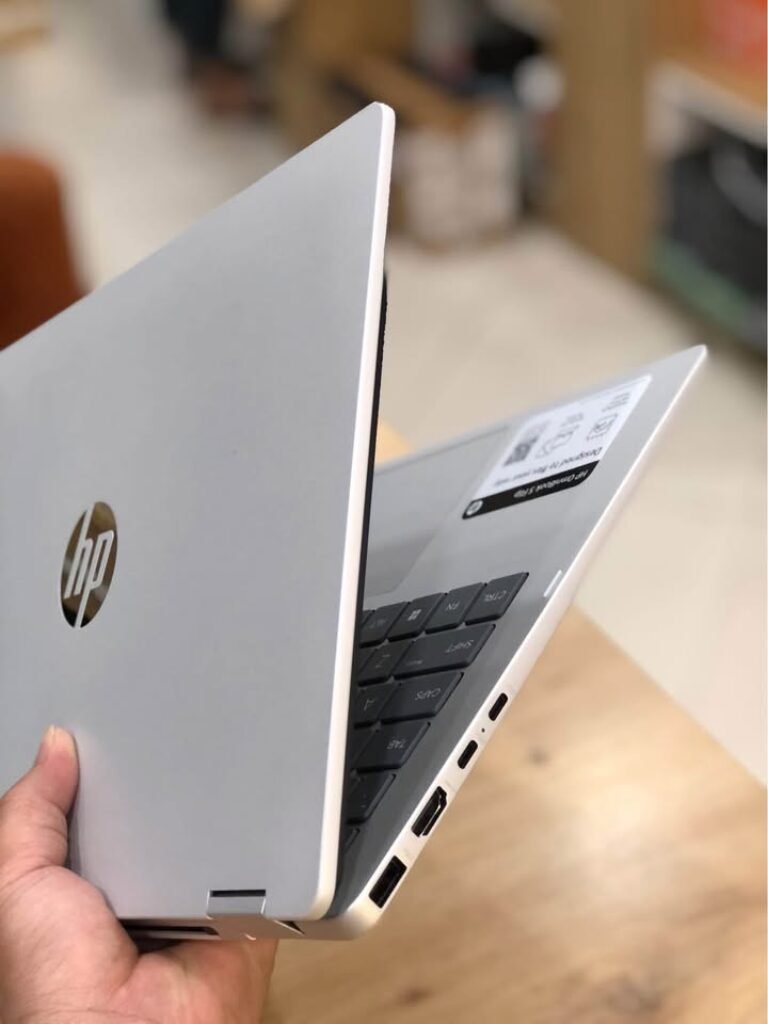
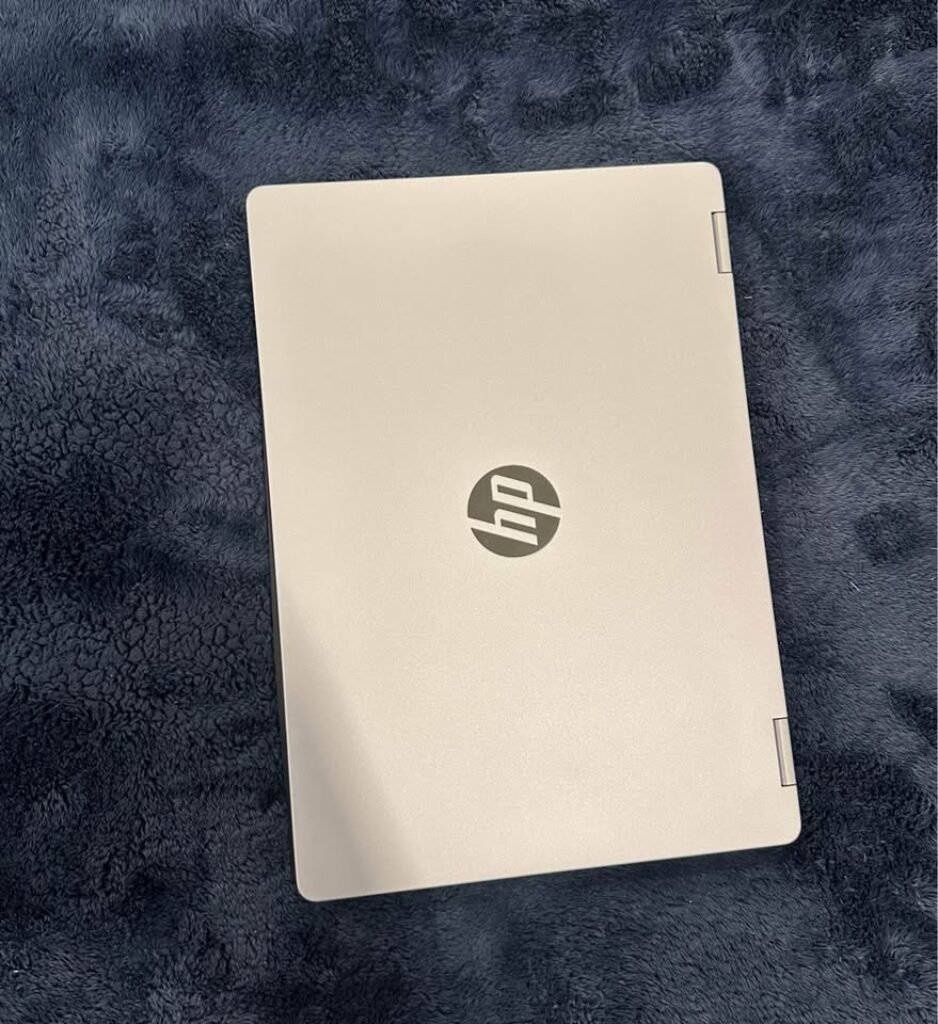
The 2K OLED panel giving vibrant colours, true blacks and excellent contrast which LCD panels at this price simply cannot match. The Brightview Low Blue Light technology is reducing eye strain during long study or work sessions, this is practical advantage when you spend 8 to 10 hours daily on laptop. The micro-edge bezels also giving display a modern and immersive feel.
Note: If you are looking for best budget models around ₹48,000 and ₹60,000, then you can go with Lenovo V14 or Acer Swift Lite 14 models.
In our testing, the Snapdragon X1-26-100 handled everyday tasks very comfortably. MS Edge with 12 tabs and Google Chrome with 10 Tabs, Office documents, Screen Recording, even light photo editing in Canva and Photoshop, all these running without any stuttering issue. The 45 TOPS NPU is making on-device AI features quite responsive, including Windows Copilot, live captions and background effects during video calls.
The 34-hour battery life claim is only based on ideal conditions. We saw in mixed usage with 50% brightness, Wi-Fi turned on, and normal MS Excel or office workflow, we got around 15 to 18 hours. Still this is exceptional number and it means you can leave the charger at home comfortably for full day of classes or meetings.
The HP True Vision 1080p camera with temporal noise reduction is giving better video quality than most laptop webcams in this price segment. This thing matter a lot for online classes, remote interviews and video calls, because poor camera quality can leave bad impression on other side.
HP AI Companion is one preinstalled tool which offering personalized insights, file analysis and system performance optimization. It is not a game-changer exactly, but it add convenience for users who want AI assistance inside their workflow without installing any third-party tools.
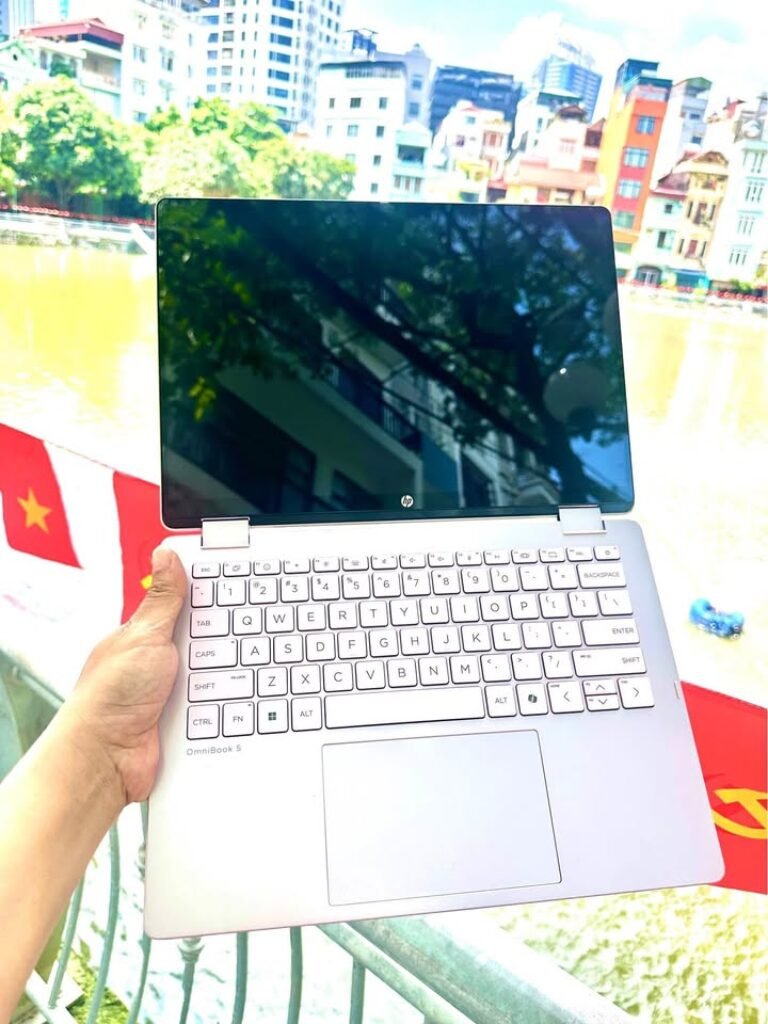
At only 1.35 kg, this laptop is easy to carry inside backpack and you will not feel the weight. Build quality is decent for this price, although it is not feeling as premium like Samsung Galaxy Book6 Pro or the Surface Laptop. The keyboard have adequate travel and the backlit keys are helpful during low-light environment.
If we compare with Acer Swift Lite 14, which also offering OLED display at lower price, the HP OmniBook 5 is having significantly better battery and more powerful processor. The trade-off part is the ARM-based Snapdragon chip, which sometimes can have compatibility issues with some old legacy Windows apps. If all your software is running natively on ARM or through emulation layer without any problem, then HP OmniBook 5 OLED is offering remarkable value nearly ₹83,490.
5. Acer Swift Lite 14
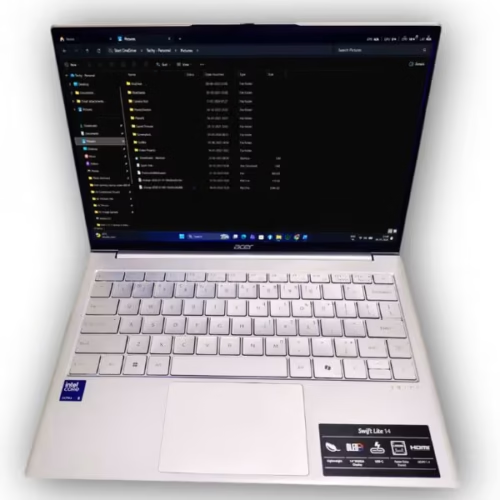
This laptop is one of the best option for students and professional peoples who is doing daily commute and wanting ultra portable machine, but also not compromising on the display side. If you are carrying laptop daily between home, college and library, then saving 200 to 300 gram is making noticeable difference after some time of use.
The Acer Swift Lite 14 is ideal mainly because it is giving OLED display at such a price point where most of other competitors are still putting normal LCD panels. The 1920 x 1200 resolution combined with OLED tech means you are getting true black colours, vibrant colours and high contrast, which makes the text look more sharp and media watching more engaging. The 400 nits brightness is enough for indoor usage, but in direct sunlight it can struggle little bit.
In our testing time, the Intel Core Ultra 5 115U was handling the student and office type workloads without any issue. Many browser tabs open together, MS Office documents, light coding inside VS Code, and video streaming, all these was running smoothly. The processor is made on Intel’s latest architecture, so power management is efficient and laptop is staying cool in daily tasks.
The 180 degree hinge is small but very useful thing. It is letting you lay the screen completely flat for collaborative type work or doing presentations, and it also adds flexibility when you using laptop on uneven surface like bed or couch. The metal chassis is feeling sturdy even with this low weight, and whole build is not creaking or flexing in normal use.
The FHD camera with physical privacy shutter is one practical inclusion. The shutter is giving peace of mind whenever camera is not in use, and 1080p resolution is delivering decent video for online classes and meeting calls. But the single microphone is one step down compared to dual array setup of more pricey models, so your voice may not come so clear in noisy place.
Port selection is adequate side, with 2x USB-C, 1x USB-A, HDMI 1.4, and one 3.5mm audio jack. The USB-C ports are supporting charging and also DisplayPort output, so external monitor connection is possible for dual screen setup when you work from home.
The 50Wh battery is basically the trade-off which you paying for this light weight. In mixed type usage with moderate brightness and Wi-Fi on, we were getting around 7 to 8 hours, which is decent for full college day but may need one top-up in longer session. It is clearly shorter than the Snapdragon based laptops in this list.
Comparing with the Lenovo V14, the Acer Swift Lite 14 is costing around ₹12,000 more, but it is offering significantly better display, more lighter build and also more modern processor inside. If your budget is stretching till ₹60,000, then this upgrade is fully worth it. If not stretching, then Lenovo V14 is still remaining a solid pick for basic productivity work.
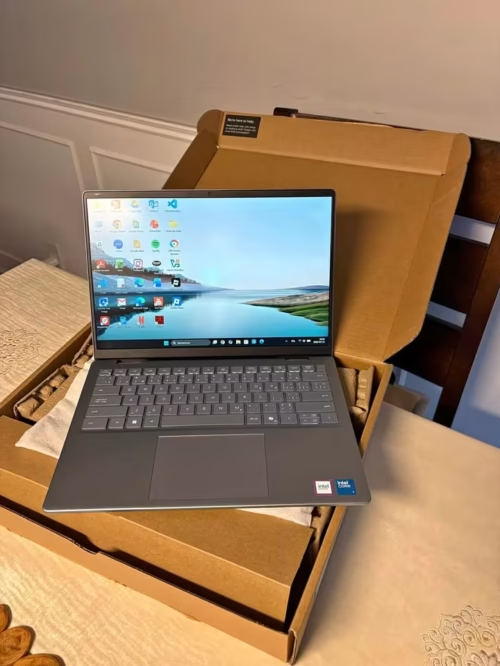
06. Dell Inspiron 14 Plus
Dell Inspiron 14 Plus is ideal because it is giving consistent and reliable performance for office type workflows, without any surprise. If you are wanting a dependable workhorse from a brand which is having strong service network across India, then this one is practical choice.
The Intel Core 7 240H is most powerful Intel chip in mid-range segment of this list. Compared to Core Ultra 5 and Core i3 used in Acer and Lenovo, it is having higher core count and faster boost clock. The 16GB LPDDR5X RAM at 5200MT/s is also fast and support smooth multitasking.
In our testing, the Inspiron 14 Plus was handling professional workload nicely. Opening many Excel files with complex formulas, running one local development server, and switching between Chrome tabs and Slack was feeling fluid. The processor was not throttling during long sustained tasks, and the lift hinge design is helping a bit by raising the back side of the laptop which improves airflow under load.
The Express Charge feature is really useful in practical. Getting 0 to 80% in just 60 minutes means one quick charge during lunch break can take you through rest of the day. But the 54Wh battery itself is giving only around 6 to 7 hours of mixed usage, which is below average in this list. So here the fast charging is becoming essential, not only convenient.
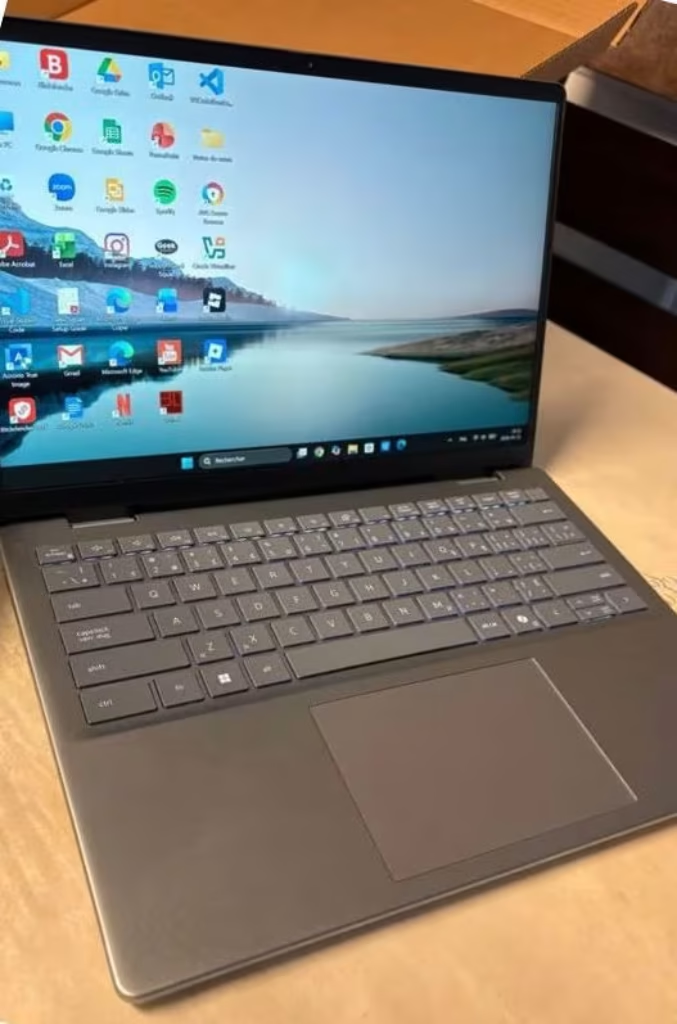
The 14″ FHD+ display having 300 nits brightness with IPS technology is doing its job but not so much exciting to look. The colours are coming accurate in enough amount, and anti-glare coating is making the screen easily readable when bright light is there. But if you keep it side-by-side comparing with OLED panel of Acer Swift Lite 14 or HP OmniBook 5, then the contrast and vibrancy difference you can see immediately only, no need to think twice.
Port selection is one of the best in this list. You are getting Thunderbolt 4, USB-A, HDMI 1.4, MicroSD card slot, and one universal audio jack. The Thunderbolt 4 port is supporting fast data transfer, external display output, and also charging, which makes it most versatile single port available in all these laptops. The fingerprint reader is integrated inside the power button, which adds convenient security also.
Build quality is solid and professional feeling, and the Ice Blue colour is adding a small personality to it. At 1.6 kg, it is not lightest one, and the extra weight is noticeable if you are carrying it daily. But the sturdy chassis and reliable keyboard is making it comfortable daily driver for desk-centric type of work.
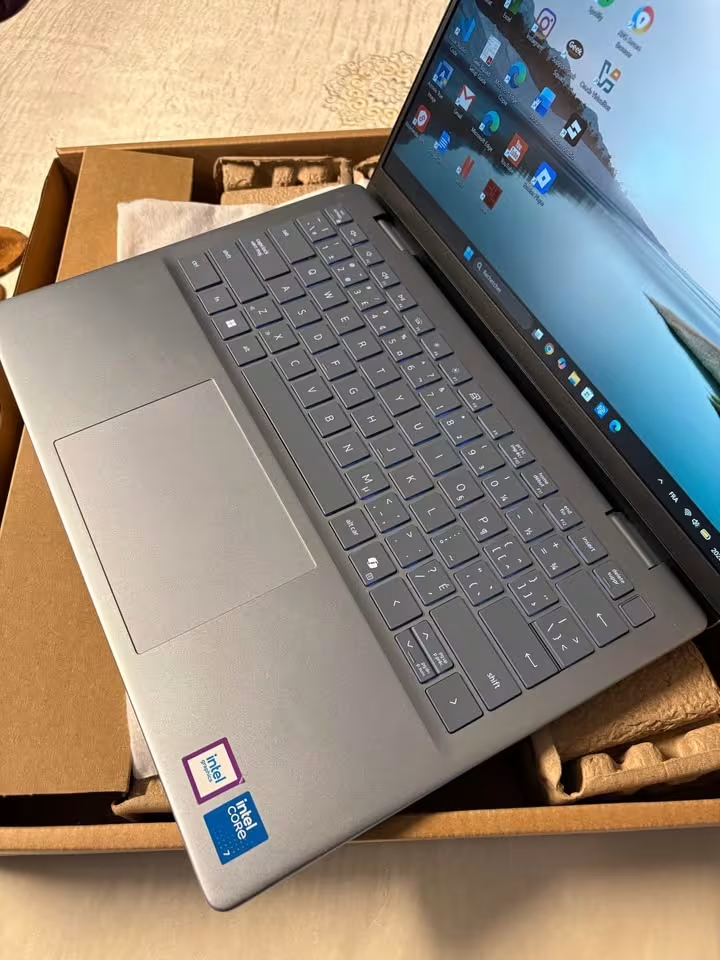
Compared with ASUS Vivobook S14 at similar price, Dell is offering faster processor and better connectivity, but it is losing on battery capacity and display brightness. So the choice is depending on whether you are giving priority to raw performance and ports, or battery life with a lighter build.
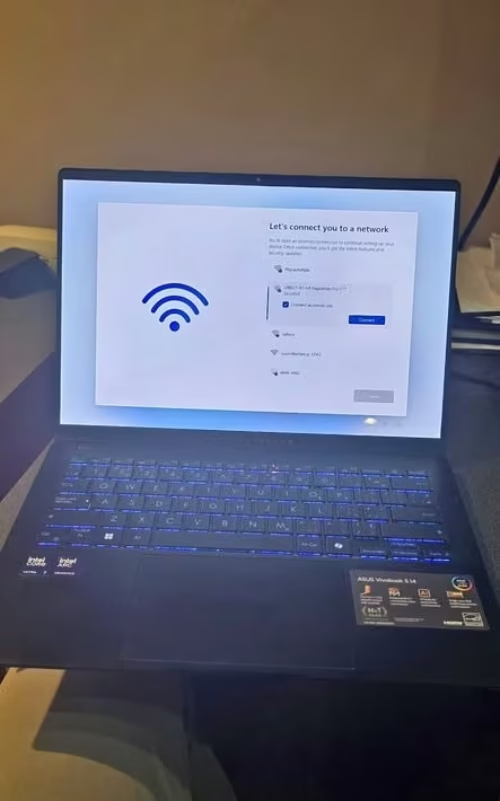
07. ASUS Vivobook S14
ASUS Vivobook S14 is best choice because it is giving powerful processor and also biggest battery in this class together, so you are getting both performance and long backup, no need to choose one from them. If you want a laptop which can do heavy task in day time and also last till evening study session without plugging the charger, then this one is balanced option for you.
The 70Wh battery is the main highlight specification here. The claimed 20 hours is based on testing in very optimistic condition, but in our real world use we was consistently getting around 10 to 12 hours in mixed usage. This is very excellent for a laptop which is having Intel Core Ultra 7 processor inside, and it means most of the students and professional peoples can pass full day comfortably. The fast charging is adding more convenience also, 49 minute of charging is taking you to 60%, which is enough for few more hours of work.
Note: The ASUS Vivobook S14 is also having upto 1.2x battery lifespan technology, which is helping battery to hold its capacity for many years. This is practical benefit if you are planning to use this laptop for 3 to 4 years time.
In our testing the Intel Core Ultra 7 255H was giving strong performance in all demanding task. Compiling code inside Visual Studio, running many Docker containers together, editing photos in Lightroom and multitasking between heavy application, all was smooth only. The 16 cores and 5.1 GHz boost clock is giving this processor one edge over the Core Ultra 5 which is there in Acer Swift Lite 14, mostly in multi-threaded workload.
The 13 TOPS NPU is supporting AI features in Windows, like Copilot integration, smart search and also background processing. It is not much powerful like the 45 to 50 TOPS NPU which come in Snapdragon and Intel Series 3 chip, but for daily AI task it is handling without any issue.
The metallic chassis is feeling premium at this price point and also giving durability. The backlit keyboard is having one Copilot key, and typing for long time is comfortable, key travel also feel satisfying. Trackpad is responsive and precision driver is supported, so gestures is accurate.
The weak area is the display only. At 60Hz, 300 nits and 45% NTSC, it is clearly behind the OLED panel of HP OmniBook 5 and Acer Swift Lite 14 from this same list. For document work, coding and general productivity task, display is fully adequate. But for watching media, doing photo editing, or any work where colour accuracy is needed, this narrow gamut become a limitation.
The 4x USB port (2 Type-A + 2 Type-C), HDMI and audio jack is giving excellent connectivity, no need of any dongle. The USB-C port is supporting display output and power delivery both, so with one single cable you can charge the laptop and also run external monitor.
If we compare with Dell Inspiron 14 Plus at similar price range, the ASUS Vivobook S14 is offering much bigger battery, lighter build and also more USB ports. Dell is giving counter with Thunderbolt 4 and little faster processor in single core task. If battery backup and portability is your priority, then ASUS is winning. But if raw performance and Thunderbolt connectivity is more important for you, then Dell is the better choice. If you are also planning to go for Lenovo IdeaPad as another option to the Vivobook, then our comprehensive and detailed Asus Vivobook Vs. Lenovo Ideapad Laptops comparison article will help you in making the right choice.
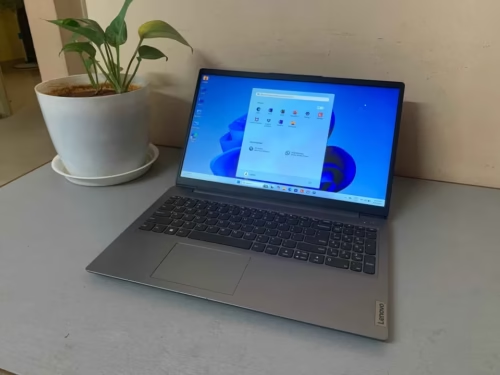
08. Lenovo V14
Lenovo V14 is best budget option in this whole list, and honestly it is not trying to become something more than that only. If you are a student who is needing a reliable laptop for doing assignments, attending online classes, browsing , reels editing and also some basic level coding, then this laptop is doing the job in proper way.
The 13th Gen Intel Core i3-1315U processor is more than enough thing for daily student work and office type tasks also. It showed handling the Chrome with around 10 to 15 tabs opened together, Microsoft Word and Excel running side by side, screen recording, and also little bit of coding work inside Notepad++, all of these did not show little lag. The 8GB DDR4 RAM is the bare minimum thing which you must consider in 2026 time, and although it is working fine only for the light type usage, you will surely feel the limitation coming up when you are running many heavy applications at one single time.
Good news is that RAM is upgradeable up to 16GB. If you are buying this laptop now and after one year you are finding 8GB is not sufficient, then RAM upgrade is very simple process and also cheap. This upgradability feature is giving the Lenovo V14 more longer useful life compared to some costlier laptops which are having soldered memory inside.
The spill resistant keyboard is one thoughtful addition for a laptop which is targeting students mainly. Accidents are happening sometimes, and spill resistant design can save you from one expensive repair bill. The key travel is 1.3mm which is decent for typing, and the layout is standard type with multimedia function keys on top.
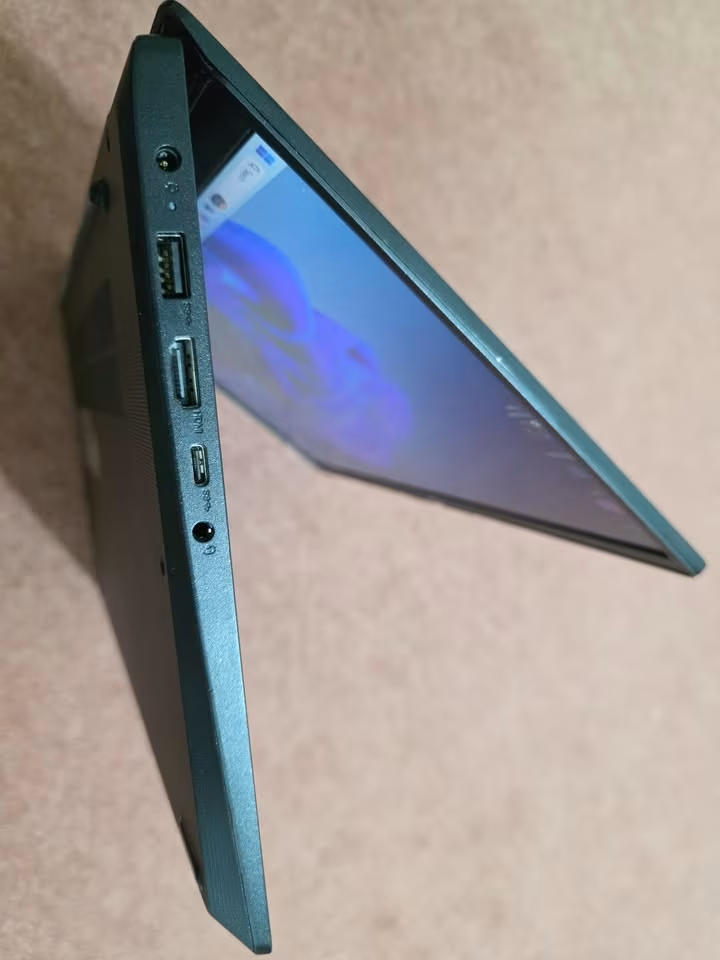
The Ethernet port is one genuine differentiator point here. In hostels and offices where Wi-Fi is becoming unreliable many times, a wired Ethernet connection is providing stable and fast internet speed. None of the other laptops in this list is including RJ-45 port, which is making the Lenovo V14 most versatile one for different connectivity situations.
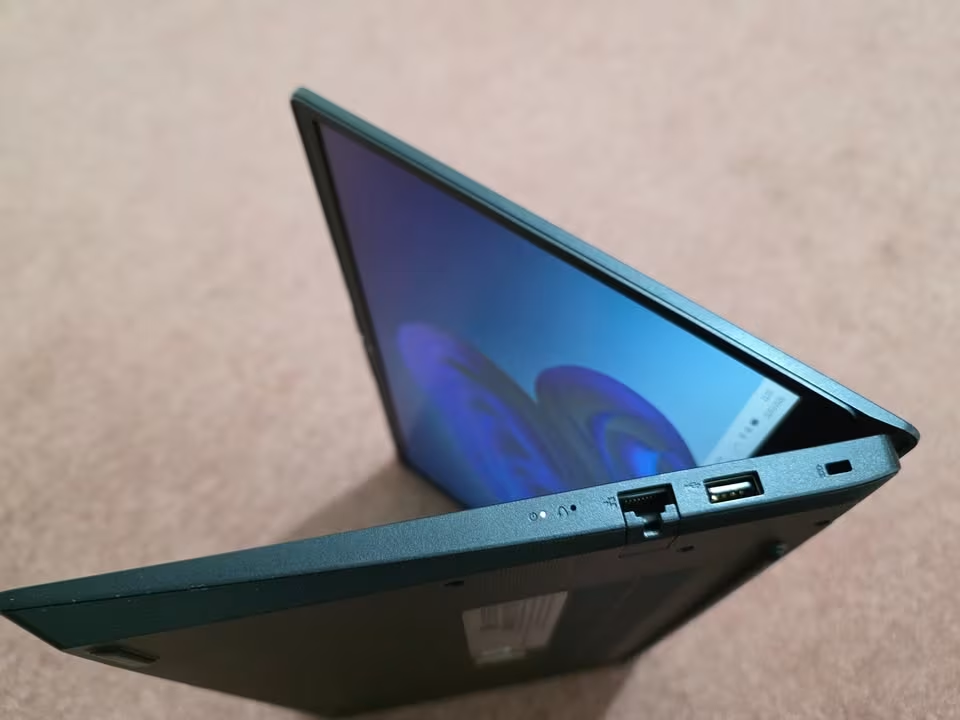
The 14″ FHD anti-glare display is basic type but functional. At 250 nits, it is not bright enough for outdoor using, and the 45% NTSC colour gamut is meaning colours are looking washed out when you compare with OLED panels. For reading documents, writing code, and watching lectures, the display is fine only.
The 38Wh battery is the biggest drawback point in this laptop. In real world mixed usage, we got around 4 to 5 hours backup, which is meaning you need to carry charger with you to college or office everyday. This is very much less compared to Snapdragon based laptops in this list, which are giving 3 to 4 times more battery life easily.
Lenovo service network in India is among the best one, with on-site warranty available in most cities and also small towns. This is one real advantage at this price range, where other competing brands are making you visit service centre for repairs. The 1 year on-site warranty is giving peace of mind for budget buyers specially.
Despite the limitations in battery and display part, the Lenovo V14 is the most practical choice for budget conscious students. It is covering all the basics reliably, and the combination of Office Home 2024, one upgradeable RAM slot, Ethernet port, and spill resistant keyboard is making it one sensible investment around ₹47,990.
14 Inch Laptop Buying Guide
The laptop which is working perfectly for one graphic designer, maybe it is not the best option for a computer science student. Before you spending ₹50,000 to ₹2,40,000, understanding your own needs is important, because this helps you to avoid the buyer’s remorse and also get the proper value from your budget.
Understand your workload first
Before you start comparing the specifications, first make one list of the applications which you are using daily. This list will tell you exactly what kind of specs you actually need.
If your daily work is only browsing, Office apps, emails, and video calls, then Intel Core i3 or Snapdragon X with 8GB RAM is enough for you. But if you are running development tools, virtual machines, design softwares, or data analysis applications, then minimum you need Intel Core Ultra 5 or above, with 16GB RAM.
Processor — The brain of your laptop
The processor is deciding how fast your laptop is handling the tasks. Below is one simple breakdown of the processors in this list, and for which kind of work they are suited.
| Processor | Best Suited For |
| Intel Core i3 13th Gen | Basic productivity, browsing, light coding, Office work |
| Intel Core Ultra 5 115U | Student workloads, moderate multitasking, light creative work |
| Snapdragon X / X Plus | Long battery life, everyday productivity, AI tasks (please check app compatibility) |
| Intel Core Ultra 7 255H | Heavy multitasking, development, moderate creative work |
| Intel Core 7 240H | Professional workloads, code compiling, data analysis |
| Intel Core Ultra 7 (Series 3) | Premium productivity with strong AI capability |
| Apple M5 Pro | Creative professional work, video editing, 3D rendering, development |
Make the text little complex, as if non native English writer written, who has only 3 month experiece in writing but has core knowledge on Laptops
RAM — How much you are actually needing?
8GB is the minimum for 2026. It is working fine for the basic tasks like browsing, MS Office, watching movies etc., but the moment heavy multitasking is coming into picture, it is showing its limits very clearly. If you are a beginner who is just starting the journey of coding, then we have already made a full detailed coverage on Is 8GB RAM Enough for Beginners Learning Programming? — it is very much worth a read before you take any decision. 16GB is what I am calling the sweet spot for most of the students and also for working professionals. It is handling everything, starting from coding, running virtual machines, till photo editing, without giving any bottleneck feeling. 24GB and above is only for those creative peoples who are doing video editing in 4K, 3D rendering works, or who are dealing with very large datasets on daily basis.
One important point also, if the RAM is soldered on the motherboard and upgrade option is not there, then please buy the maximum you can afford in the first time only itself, because later no scope will be there. But if it is upgradable type, like what we are seeing in Lenovo V14 and some other budget models, then you can start with the lower config and do the upgrade after some time when budget is allowing.
Display — What you should look for?
Display quality is mattering more than what most people are realizing, specially if you are spending 6 to 10 hours daily on your laptop.
| Display Type | Characteristics |
| LCD / IPS | Standard panels, decent colour accuracy, good for everyday work. Mostly found in budget and mid-range laptops. |
| OLED | True blacks, vibrant colours, excellent contrast. Best for media, design, and also eye comfort. But battery consumption is higher. |
| AMOLED 2X | Samsung’s premium panel technology with 120Hz refresh rate. Best display quality you can get in Windows segment. |
| Liquid Retina XDR | Apple’s premium panel with the highest peak brightness. Best for HDR content and colour-critical work. |
Resolution is also important. FHD (1920 x 1080) is the minimum which is acceptable. FHD+ (1920 x 1200) with 16:10 ratio is giving you more vertical space for documents and coding. QHD+ and above is delivering sharper text and more details, but battery consumption also becomes more. And if you are still getting confused about which screen size will be the right fit according to your daily use requirement, then our very detailed comparison on 14 Inch or 16 Inch Laptop will definitely helping you to decide before you are finalising your purchase.
Battery life — The real-world numbers
The manufacturer claims are always higher than the real-world usage. As a general rule, you should expect only 60 to 70% of the advertised battery life in actual mixed usage.
For students who are attending full day classes, try to aim for a laptop with minimum 50Wh battery capacity. Snapdragon-based laptops are consistently giving the best battery life in Windows segment. If battery life is your top priority, and all your softwares are compatible, then Snapdragon laptop is the practical choice for you.
Build quality and weight
If you are carrying your laptop daily, then every gram is mattering. Laptops in this list are ranging from 1.1 kg (Acer Swift Lite 14) to 1.6 kg (Dell Inspiron 14 Plus and MacBook Pro). A difference of 500 grams is sounding like nothing, but when it goes inside a backpack along with books, charger, and water bottle, then it is adding up a lot.
Metal chassis laptops generally are feeling more premium and also more durable compared to plastic ones. But one well-built plastic laptop like Lenovo V14 can also work perfectly fine for many years.
Ports and connectivity
Before making the purchase, you should check that which ports are actually needed for you. Some of the common requirement are given below:
- USB-A — This is used for pen drives, wired mouse and also old peripherals which are still in use.
- USB-C — It is mainly for charging, external display and modern accessories. Try to see that the USB-C is having Power Delivery and also DisplayPort support, because this two things are very useful.
- HDMI — For connecting the external monitor and projector when you are doing presentation in class or office.
- Ethernet (RJ-45) — For getting stable wired internet in hostel and office, this port is needed. From this list, only Lenovo V14 is having this one.
- Thunderbolt 4 — This is for fastest data transfer speed and also best support for external display. Only Dell Inspiron 14 Plus in this list is coming with it.
Frequently Asked Questions
Dell and Lenovo is having the biggest service network in all over India, and they also provide on-site warranty in most of cities and even smaller towns also. ASUS and HP coverage is okay-okay in metro cities. Apple is having authorised service centers but only in major cities you will find. Samsung and Microsoft service reach is quite limited, specially if you are living outside metros then it become problem.
Intel is giving widest app compatibility, so it is safe choice if you are using some niche or old Windows softwares. Snapdragon is giving much much better battery backup and for daily productivity work it is excellent, but problem is some x86 apps may run slow because of emulation thing. Before choosing Snapdragon, please check that your important softwares is running natively on ARM or not.
OLED panels is giving true black colour, more contrast, and colours looking very vibrant compared to normal LCD. If you are sitting long hours on laptop or you care about display for watching movies and creative works, then the upgrade you will definitely notice and it is worth it. Only one drawback is battery consumption become little higher than LCD display.
For students and normal professional peoples, integrated graphics is more than sufficient. Intel integrated graphics, Qualcomm Adreno, and Apple GPU cores is handling daily tasks, video playing, and even light photo editing also very nicely. Dedicated GPU is only needed if you are doing gaming, 3D rendering, or professional video editing type work, and for those people 15–16 inch gaming or workstation laptop is better choice instead of 14 inch.
This thing is fully depending on which model you are buying. Lenovo V14 is supporting RAM upgrade till 16GB. Most of other laptops in this list is having soldered RAM which cannot be upgrade at all. SSD upgrade is possible in some models only, so please check the specification sheet of that particular laptop before buying. If upgradability is matter for you, then confirm this point first, later don’t regret.
Final Words
So here you reach the end of this 14 inch laptop buying guide. I hope this guide is helping you for taking easy decision when you want to pick right laptop for your study work or office works.
Talking about MacBook Pro 14″, it is clearly the first choice for creative peoples who have good budget in their pocket. Coming to Windows side, the Samsung Galaxy Book6 Pro is on top when we talk about display quality and also the portability part is very nice. Then HP OmniBook 5 OLED is giving best value for money because you are getting one OLED panel in this price, which is not common thing. For the buyers who want budget friendly option, Lenovo V14 is doing all the basic works in reliable manner, nothing fancy but it works. And one more, the Acer Swift Lite 14 is sitting in between budget and premium segment, because it is lightweight and also giving OLED screen, which is a good deal actually.
If you are having any doubts or questions in your mind about choosing the 14 inch laptop, please drop them down in the comment box below, and we will try our best to reply you back with proper answer.