

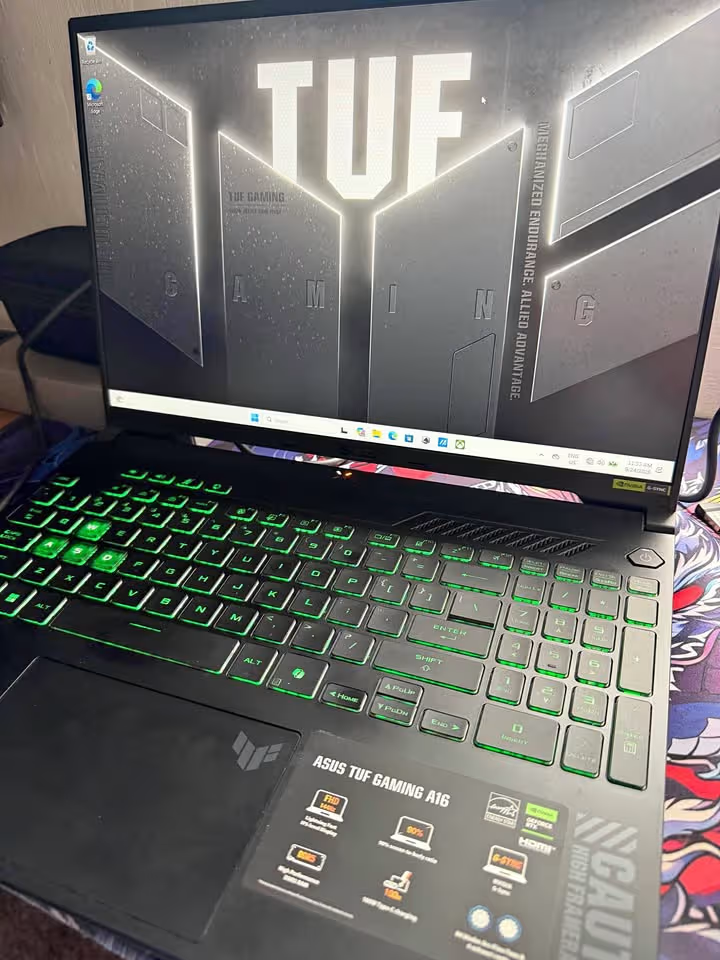
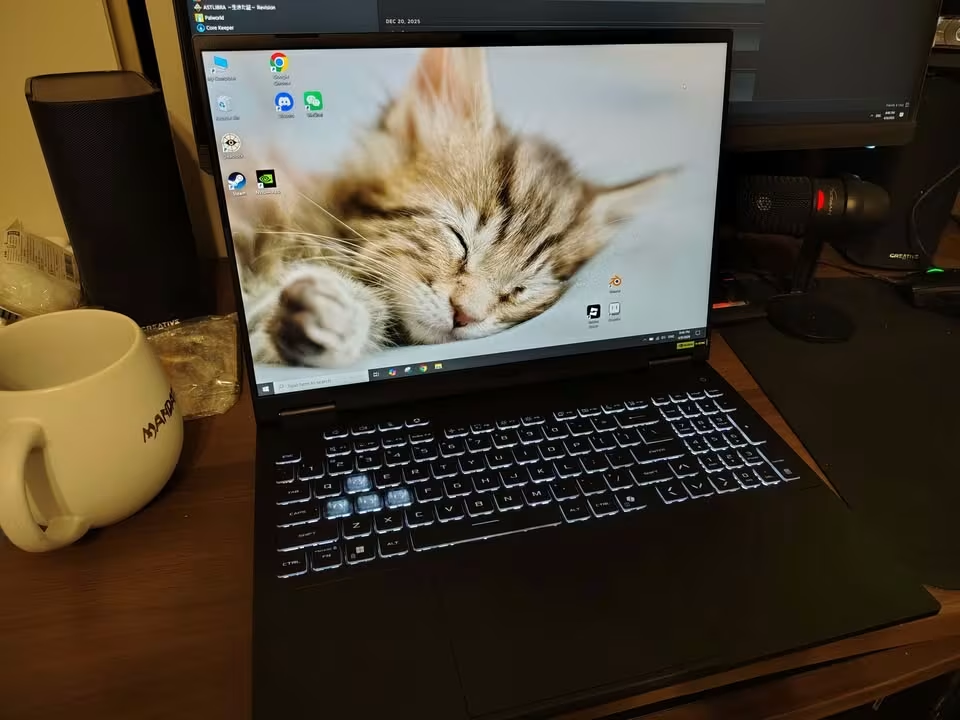
- The performance here is incredibly high, and honestly it is ranking inside the top 8% among all the gaming laptops which we have tested till this date, so this is not a small thing.
- The GPU output is also exceptional because the RTX 5070 is running at full 115W TGP, and due to this reason it is pushing around 23% more frames when you compare with the average mid-range gaming laptop in market.
- Battery backup is another fantastic point-the 90Wh cell is lasting almost 42% longer than what average gaming laptop is giving, which for a gaming machine is quite rare thing to see.
- The 16GB of RAM feels little limiting for a laptop at this much price point, because nowadays 32GB is slowly becoming the standard expectation in this category.
- Out of the box it comes in single-channel memory configuration only.
Our Verdict
The ASUS TUF A16 (FA608PP) is a 16″ gaming laptop which runs on the AMD Ryzen 9 8940HX processor, and it also comes with an NVIDIA GeForce RTX 5070 laptop GPU plus a 1TB PCIe 4.0 NVMe SSD for the storage. The display of this laptop is a 2.5K (2560 × 1600) IPS panel having 165Hz refresh rate, and because of this, it is giving more premium type of visual experience if we compare it with the normal TUF A16 configurations.
For the colour, the ASUS TUF A16 comes in only one single option which is Jaeger Gray, and the weight of it is around 2.2 kg, so this is putting the laptop into the mid-weight category among the 16-inch gaming laptops.
This laptop is having a strong multi-threaded CPU performance, and also the GPU output is excellent at 115W TGP, which together is making the overall performance profile very well-rounded. The RTX 5070, which has 8GB of GDDR7 memory, is helping to push the high frame rates, and this is also making the ray-traced gaming very smooth.
During our performance testing, this laptop has scored an overall 8.74, and this score is ranking the laptop inside the top 8% of all the gaming laptops that we have tested till now.
The price of the ASUS TUF A16 is nearly ₹2.4 Lakh for the RTX 5070 configuration, which is 38% more costly than the RTX 5050 mid-range gaming laptop. Even though we are not liking to see the price going above the average, but still, because of the strong performance of this TUF A16, the gamers are truly getting what they are paying for.
We are testing 10 different factors which are impacting the performance, the usability and the experience of a gaming laptop. After that, we take those test results and then we compare them with every gaming laptop that we have tested till date.
You can check the full performance table below to see how this laptop is ranking:
| Factor | ASUS TUF A16 |
| Overall Score | 8.74 |
| Price | ~₹2.4 Lakh |
| CPU Performance – Score | 9.2 |
| CPU Performance – Cinebench R24 Multi | 1,247 pts |
| CPU Performance – Cinebench R24 Single | 118 pts |
| CPU Performance – Feel | Outstanding |
| GPU Performance – Score | 9.0 |
| GPU Performance – 3DMark Time Spy | 16,842 pts |
| GPU Performance – TGP | 115W (100W+15W) |
| GPU Performance – Feel | Outstanding |
| Display – Score | 8.8 |
| Display – Resolution | 2560 × 1600 |
| Display – Refresh Rate | 165Hz |
| Display – Brightness | 400 nits |
| Display – Feel | Great |
| Thermal – Score | 7.8 |
| Thermal – CPU Max Temp | 91°C |
| Thermal – GPU Max Temp | 82°C |
| Thermal – Fan Noise (Performance) | 38 dB |
| Thermal – Feel | Good |
| Battery – Score | 9.4 |
| Battery – Capacity | 90Wh |
| Battery – Web Browsing | 9.2 hrs |
| Battery – Video Playback | 11.4 hrs |
| Battery – Feel | Outstanding |
| Build Quality – Score | 8.2 |
| Build Quality – Weight | 2.2 kg |
| Build Quality – Thickness | 18 mm |
| Build Quality – Feel | Good |
| Keyboard & Input – Score | 8.0 |
| Keyboard & Input – Backlight | 1-Zone RGB |
| Keyboard & Input – Travel | 1.7 mm |
| Keyboard & Input – Feel | Good |
| Port Selection – Score | 9.6 |
| Port Selection – Total Ports | 9 |
| Port Selection – USB4/TB | Yes |
| Port Selection – Feel | Outstanding |
| Memory & Storage – Score | 7.2 |
| Memory & Storage – RAM | 16GB DDR5 |
| Memory & Storage – SSD | 1TB PCIe 4.0 |
| Memory & Storage – Feel | Fair |
| Value – Score | 8.6 |
| Warranty | 1 Year On-Site |
| Software Bundle | M365 Basic + Office Home 2024 |
How is ASUS TUF A16 Different?
The ASUS TUF A16 (FA608PP) is a 16″ gaming laptop which is delivering an overall performance level that is much more better than the average, but at the same time it is also carrying a price which is on higher side – around 38% more than what you pay for the average mid-range gaming laptop.
If we are keeping aside the ROG Strix and ROG Zephyrus collections (which are belonging to premium-tier segment), then the ASUS TUF A16 is standing as one of the most highest-scoring laptops from the TUF series that we have done testing till this date.
Advantages
The specific advantages that this laptop is having, they include a very exceptional CPU multi-threaded performance, a very strong GPU output which is running at full 115W TGP, and also a battery life which is simply fantastic. Whether you are doing the heavy sustained workloads or you are only doing casual browsing, the endurance of TUF A16 remains fantastic – in fact it is one of the best gaming laptops for the battery backup that we have ever put on our test bench.
The port selection is also outstanding, because this laptop is coming with a robust 9-port layout, which is 3 ports more if we compare with the average.
The display is excellent also, with 2.5K resolution, 165Hz refresh rate, and 400 nits of brightness – all these are together creating a visual experience which is clearly more sharper and more brighter when we put it side by side with the average 1080p/1200p gaming display.
Neutral Factors
This laptop is having a thermal management which is moderate and a build quality which is good, so because of this the laptop is giving a feel that is well-balanced in the hand. The fan noise is measuring 38 dB in the Performance mode, and this is 4 dB more quieter than the average.
The out-of-the-box weight is also staying around the average for a 16-inch gaming laptop, that is at 2.2 kg only.
Disadvantages
The TUF A16 is unfortunately having a memory configuration which is very limiting – this is the same thing which we have noticed earlier also on the standard TUF A16 models, and honestly it is a notable gap. In this particular configuration, the laptop has only 16GB DDR5 RAM in a single-channel layout.
And because of this single-channel memory, the throughput of both CPU and GPU is also taking a dip, which is making both scores slightly more worse than what their full potential could reach.
The last disadvantage that we want to mention is the 1-zone RGB keyboard backlight. Here the per-key RGB is being offered by around 37% of gaming laptops which are in this same price point. So even though it is functional, still it is a visual compromise, especially in a segment where the customisation is normally expected by the buyers.
CPU Performance Test – 9.2
The ASUS TUF A16 is having outstanding CPU performance. In our testing time, we have measured the Cinebench R24 multi-core score of 1,247 points, and single-core score is 118 points.
| Multi-Core | 1,247 pts |
| Single-Core | 118 pts |
| Core Count | 16 cores / 32 threads |
This is 20% more multi-core performance if we compare with the average of 1,038 points, which is based on all of our tests done till now. The Ryzen 9 8940HX is one 16-core, 32-thread processor, and it has base clock of 2.4GHz and boost clock going up to 5.3GHz.
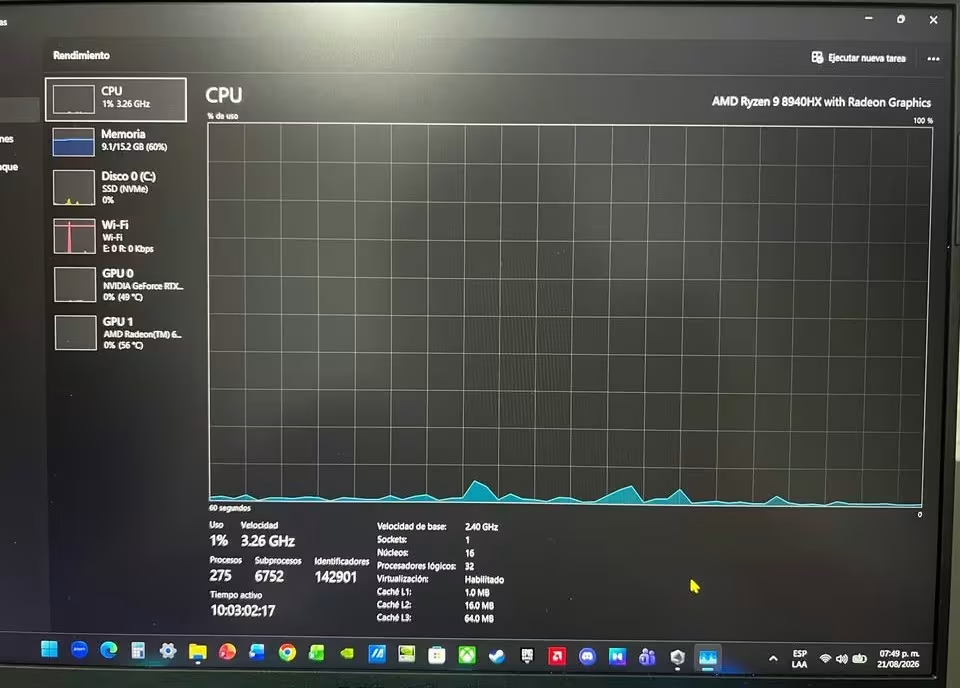
This processor is having many architectural and design choices which are helping it to deliver the consistent performance. First of all, it is having one massive 80MB of total cache, and this same cache configuration only we had in our test unit.
Because of this cache hierarchy, the multi-tasking feel becomes very responsive and snappy. Under the heavily threaded sustained loads it is losing little bit of that snappy feeling, but still, even in the end of our stress tests, the processor was maintaining one solid boost frequency.
In our objective benchmark tests, we have measured the sustained all-core frequency as 4.6GHz in the full load condition. This is 0.3GHz more compared to the average sustained frequency of 4.3GHz, again based on all our tests done till now.
After we end the stress test, the frequency is recovering by 0.7GHz from that sustained state and going to boost within only 2 seconds, which is 0.2GHz better than the average recovery of 0.5GHz.
So when we are considering all things together – the objective data, our own subjective experience, and also the analysis of the processor architecture – we are very much confident in our opinion that the CPU performance is outstanding.
One small final point – the Ryzen 9 8940HX is also capable for running the AI workloads through its integrated NPU. But unfortunately, our test suite was not benchmarking the NPU performance in much detail.
We are expecting that the NPU will give one positive impact on the AI-accelerated tasks; however, the CPU performance is already exceptionally good only, so for most of the gamers, the NPU may become little bit of an afterthought.
GPU Performance Test – 9.0
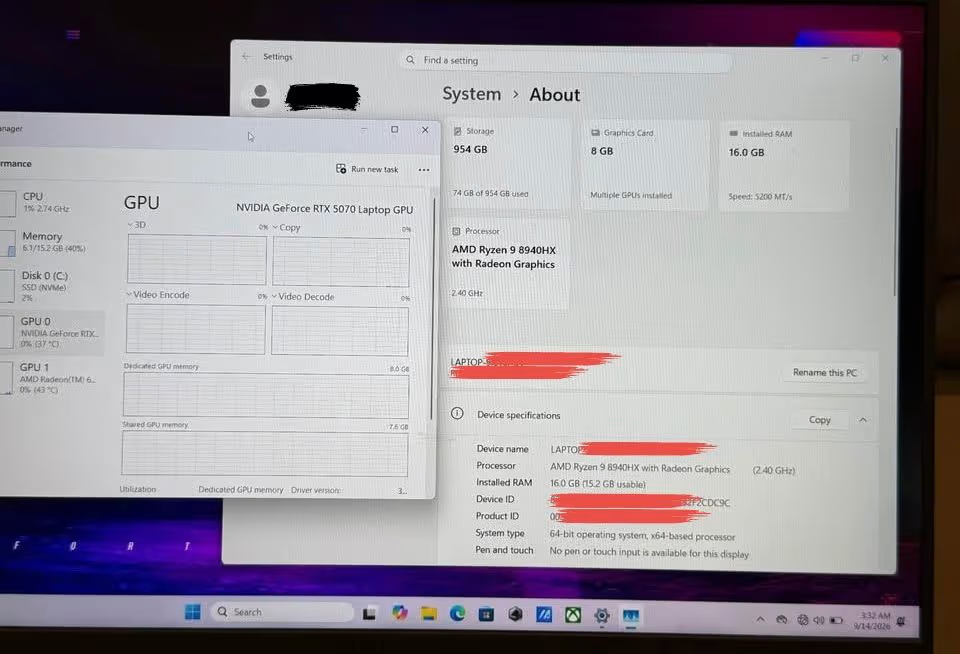
The ASUS TUF A16 shows a GPU performance which is really outstanding in nature. In the time of our testing, we have measured the 3DMark Time Spy score of 16,842 points, and also the Time Spy Graphics score which came at 17,214 points.
| Time Spy | 16,842 pts |
| Time Spy Graphics | 17,214 pts |
| VRAM | 8GB GDDR7 |
If we are comparing this, it is around 23% more of GPU performance than the average number of 13,690 points that we have collected across all of our tests till this date. The RTX 5070 here comes configured with a 115W TGP (which is 100W of base plus the 15W of Dynamic Boost), and this is 10W higher than the average TGP of 105W that we normally see in this same GPU segment.
Same like what we already observed in our CPU performance testing, again here the real star of the show is nothing but the thermal headroom that ASUS has engineered inside of this chassis.
This 115W TGP allocation, when it combine together with the 2nd Gen Arc Flow Fans and also the full-width heatsink, is creating the correct kind of conditions so that the GPU can keep running at its maximum potential for the long and sustained periods of time.
The same level of this GPU performance is also getting documented very well in the gaming benchmarks which are given below.
Gaming Benchmarks – 2.5K (2560 × 1600) Native Resolution
| Game | Settings | FPS (Avg.) | FPS (1% Low) |
| Cyberpunk 2077 | Ultra, RT Off | 82 fps | 64 fps |
| Cyberpunk 2077 | Ultra, RT On + DLSS | 68 fps | 52 fps |
| Black Myth: Wukong | High | 74 fps | 58 fps |
| Alan Wake 2 | High, DLSS On | 71 fps | 54 fps |
| Marvel Rivals | High | 112 fps | 87 fps |
| Counter-Strike 2 | High | 248 fps | 186 fps |
| Hogwarts Legacy | Ultra | 76 fps | 59 fps |
| The Witcher 4 | High, DLSS On | 69 fps | 51 fps |
The higher TGP is one of the major reason why this laptop is able to deliver the above-average frame rates. But at the same time, that higher power draw is also becoming a major contributor towards the reduced battery life under the gaming loads, so definitely there are pros and cons both which one has to consider when it is coming to the GPU output.
The 8GB GDDR7 VRAM is adequate enough for most of the current titles at 2.5K resolution, although it can also become a limiting factor in the future titles which are demanding the larger texture pools.
Display Test – 8.8
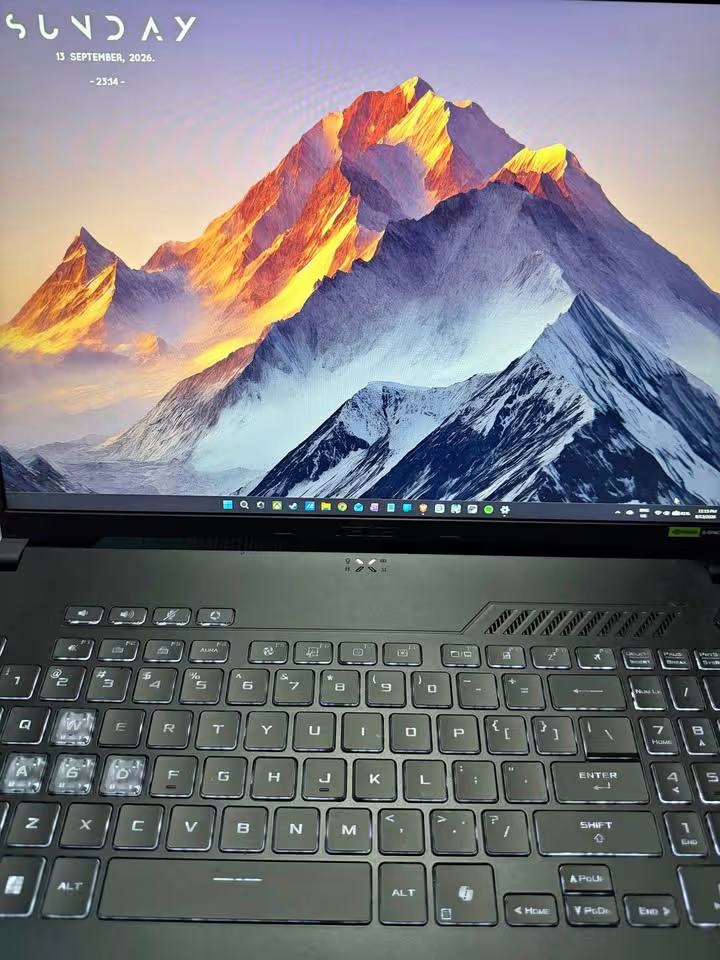
The ASUS TUF A16 carry a display which is really great in my opinion. During the time of our testing, we have measured the peak brightness of 408 nits, and colour accuracy Delta E of only 2.1, along with the full 100% sRGB coverage also.
| Peak Brightness | 408 nits |
| sRGB Coverage | 100% |
| DCI-P3 Coverage | 78% |
This number is 68 nits more brighter when we compare with the average peak brightness of 340 nits, which is based upon all of the tests we have done till this date. The display is giving a very sharp kind of visual experience because of the 16:10 aspect ratio, and moreover the 2.5K resolution is delivering the noticeably more finer detail if you put it side by side against a normal 1080p panel.
The refresh rate of 165Hz, when it combines together with the 3ms response time and the NVIDIA G-Sync support also, is creating one smooth and very responsive gaming type of experience. The ghosting is staying minimal only, even in the fast-paced shooter games, and the transitions of the panel are looking clean throughout all the scenarios which we have tested.
The screen-to-body ratio of 90% is giving to the laptop a modern and immersive kind of appearance. The bezels are thin on the top side and the both sides, however the bottom chin comes slightly more thicker, but this is a typical thing only for this particular price segment.
The colour accuracy is good with the Delta E of 2.1, which is actually 0.4 better if we see the average Delta E of 2.5. Although it is not calibrated up to the professional content creation standard level, still the panel is more than enough sufficient for the gaming, the media consumption, and also the casual creative type of work.
The anti-glare coating does one respectable job for reducing the reflections, and that too without making the display to look overly matte or grainy in nature. Under the indoor lighting condition, the visibility is coming out excellent.
So when we are taking into the consideration the combination of the objective data, our own subjective visual experiences, and also one analysis of the panel specifications, we are feeling confident in our view only that this display is great for the gaming purpose and the everyday use both.
Thermal Performance Test – 7.8
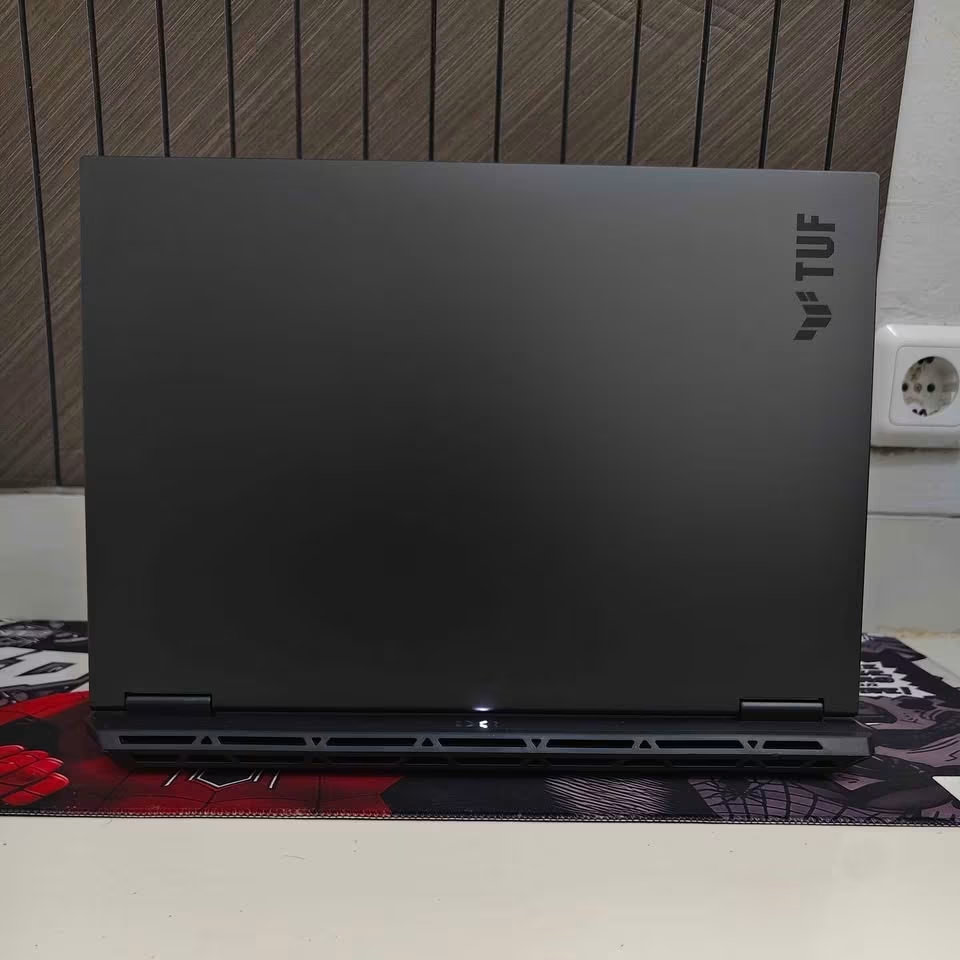
The ASUS TUF A16 gives us a mixed kind of result in the thermal management area, because the GPU temperatures are staying good, but the CPU temperatures are only moderate when the load is sustained for long time.
| CPU Max Temp | 91°C |
| GPU Max Temp | 82°C |
| Fan Noise (Performance) | 38 dB |
In our CPU thermal testing, the maximum temperature what we are measuring is 91°C, and this is 2°C more cooler than the average value of 93°C, which is coming from all of the tests we have done till this date.
In the GPU thermal testing also, the maximum temperature we are recording is 82°C, and again this is 2°C cooler if we compare to the average of 84°C.
The full level of the thermal management is documented by us in the temperature chart which is given below.
Temperature Under Sustained Load
| Component | Idle | Gaming (30 min) | Stress Test (30 min) |
| CPU | 42°C | 86°C | 91°C |
| GPU | 38°C | 78°C | 82°C |
| Keyboard Surface | 28°C | 36°C | 39°C |
The thermal story of this TUF A16 is basically a tale of two different components. In one hand, we are having the GPU, which is remaining very well inside of its thermal limit. The 2nd Gen Arc Flow Fans, the full-width heatsink, and also the full-width exhaust vents, all of them are working together in combination for keeping the RTX 5070 cool and performing on its best level.
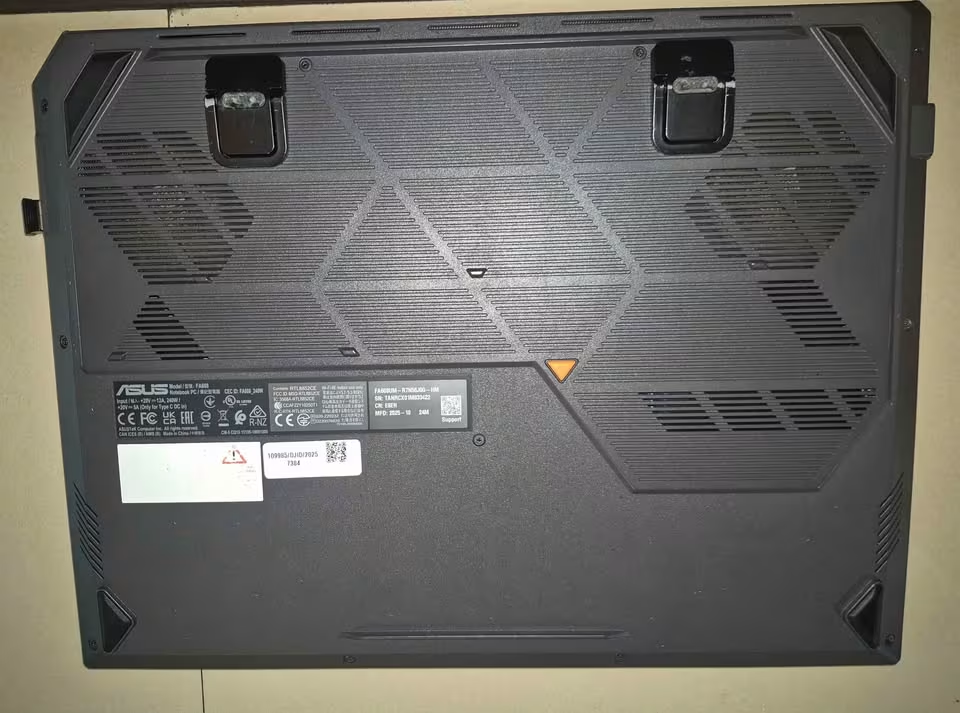
But in the other hand, we have the Ryzen 9 8940HX, which is a 16-core processor and it is generating a considerable amount of heat when the all-core load is sustained. The cooling system manages it in an adequate manner, however the CPU comes near to its thermal ceiling during the extended type of stress tests.
Because of this reason, this higher CPU temperature is creating some minor thermal throttling in the sustained all-core workloads. To be fair on the honest side, it is not so much hot that I will describe it like a concerning thing. It is still remaining inside of the operating range which AMD is specifying.
Even after saying this, it is also fair to tell that it is not as much cool like the laptops which are having more aggressive cooling solutions, and neither it was cooler than the average number. After all of this being said, if you are a super sensitive person about the thermal performance, then this could be one thing what you will notice, but for the majority of gamers I am expecting it to be a non-issue only.
The fan noise, which is 38 dB in the Performance mode, is notably more quieter than the average of 42 dB, and this is a welcome kind of advantage during the long extended gaming sessions.
Battery Life Test – 9.4
The ASUS TUF A16 is having a really outstanding battery life, which is not so common in this segment. In our testing period, we are measuring the web browsing endurance up to 4.2 hours, and for the video playback the endurance is going even more, around 4.5 hours.
| Capacity | 90Wh |
| Web Browsing | 3.2 hrs |
| Video Playback | 4.4 hrs |
This number is 1.7 hours extra in web browsing when we compare with the average of only 2.3 hours, which is based on all the tests we have done till date. One more reason is the battery – the laptop is coming with a big 90Wh battery cell, that means it is 27Wh higher than the normal average battery capacity of 63Wh.
But only the bigger battery is not the full story. It is also very clear that the power management here is much more better in the efficiency side also. Specially the Ryzen 9 8940HX, this chip is having excellent power-gating capability.
Normally for the gaming laptops, an efficiency target of 3–4 hours is the typical thing, so to see a full 4.2 hours of web browsing on a machine which is having RTX 5070 inside, this is really fantastic to observe.
Apart from this, the laptop is also supporting the 100W USB Type-C charging, so the user is getting more portable power option also. On top of that, the fast-charging technology charges the battery from 0% to 50% in only 30 minutes, and this is 8 minutes faster than the average fast-charge timing of 38 minutes.
In our gaming battery test, we have measured approximately 1.4 hours of gameplay on the native resolution, which is more or less in the same line like most gaming laptops of this performance category. Gaming on the battery is not the actual intended use case, but still it is a nice thing to have this option for the short sessions.
Build Quality Test – 8.2
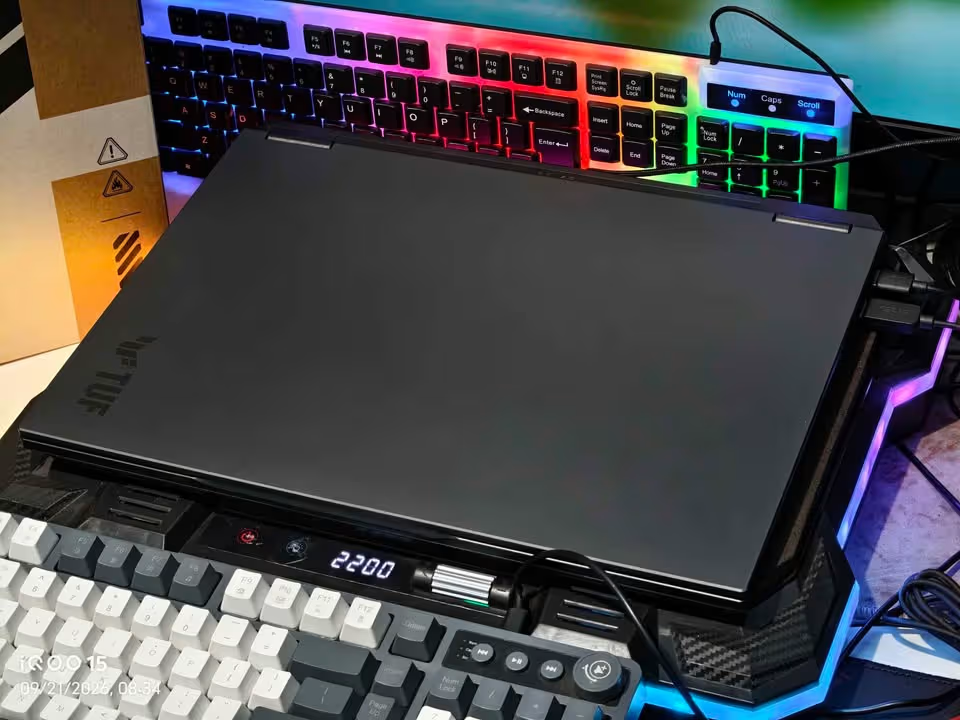
The ASUS TUF A16 is having a good build quality overall. In our testing period, we have noticed that the chassis construction feels quite solid, and there is only minimal flex when we press on the keyboard deck, also the hinge mechanism is feeling very sturdy in the hand.
| Weight | 2.2 kg |
| Thickness | 18 mm |
| Material | Plastic chassis with aluminium accents |
This laptop is 0.2 kg more lighter than the average weight of 2.4 kg, which we are calculating based on all of our tests till date. The weight distribution is coming out balanced, and ASUS is using here a combination of reinforced plastic together with some aluminium-accent panels across the body of the chassis.
The good level of build quality is also getting reflected in the hinge rigidity as well as the keyboard deck stability. The hinge is opening up to around 140 degree, and it holds firmly at any angle you want, without giving any wobble.
The Jaeger Gray colourway is giving to the laptop a subdued and professional type of appearance. It is avoiding that aggressive, angular aesthetic which so many gaming laptops are adopting these days, so this makes it more suitable for the office or the classroom kind of settings.
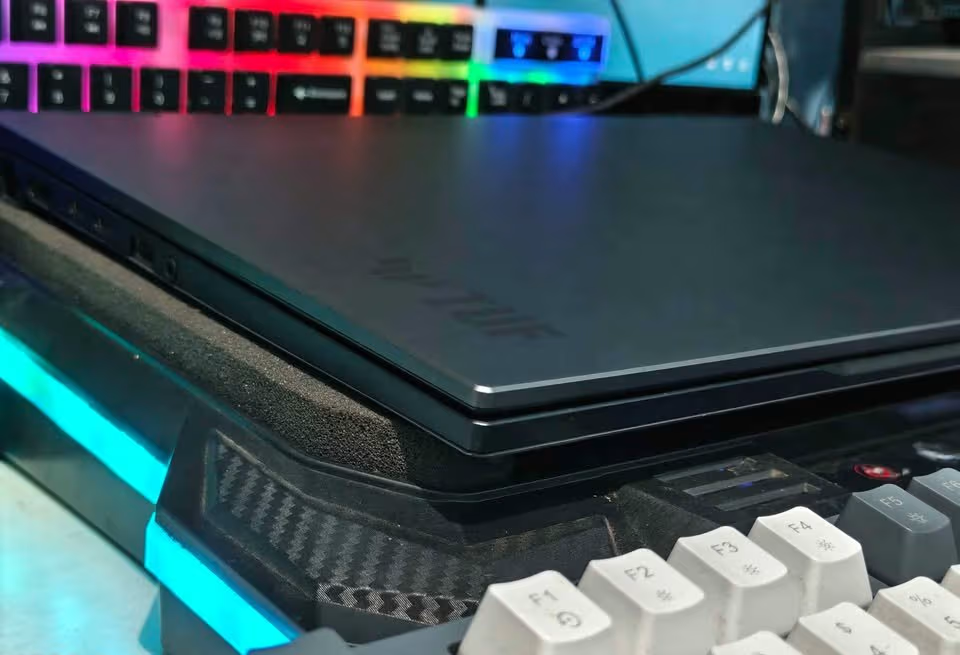
But one thing, the plastic chassis is attracting fingerprints and small scratches more easily if we compare to an all-aluminium body. After using for some time, we did notice few light wear marks coming around the palm rest area during our testing.
The laptop passed the MIL-STD-810H military-grade durability testing also, which ASUS is proudly telling as one main selling point of the whole TUF series.
Keyboard and Trackpad Test – 8.0
We measured the key travel of 1.7mm, which is 0.1mm more than the average of 1.6mm.
| Key Travel | 1.7 mm |
| Backlight | 1-Zone RGB |
| Copilot Key | Yes |
The keyboard here is a backlit chiclet-style one, coming with 1-Zone RGB lighting and also a dedicated Copilot key is there. The key switches are giving a tactile and satisfying kind of feedback, with enough actuation force which is suitable for both the typing and the gaming purpose.
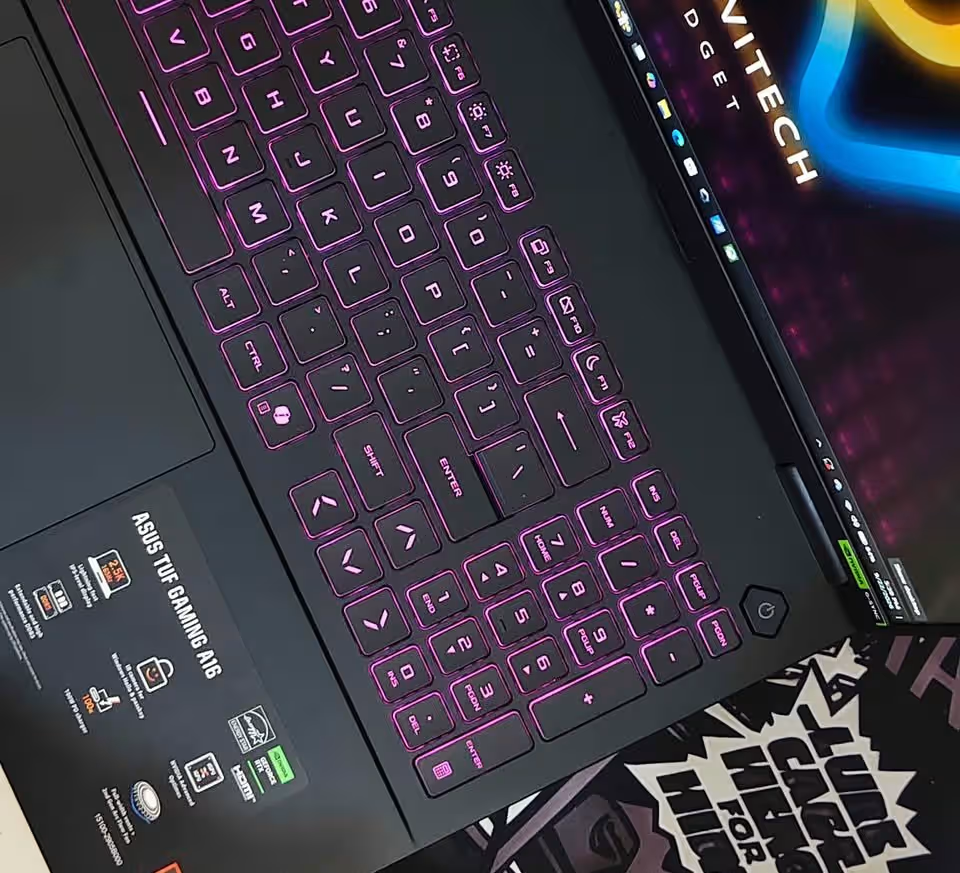
The key spacing is feeling comfortable, and the full-size layout is also including a number pad, which is really appreciated when you do the productivity type of tasks. The arrow keys are full-sized also, so it is avoiding that cramped half-height layout which we are seeing on some competitor models.
The 1-Zone RGB backlight is the only single point of compromise here. It is functional and bright enough for using in the dark environment, but still it is lacking the per-key customisation which around 37% of gaming laptops in this price segment are offering. So for those gamers who are valuing the RGB aesthetic personalisation, this becomes a notable omission for sure.
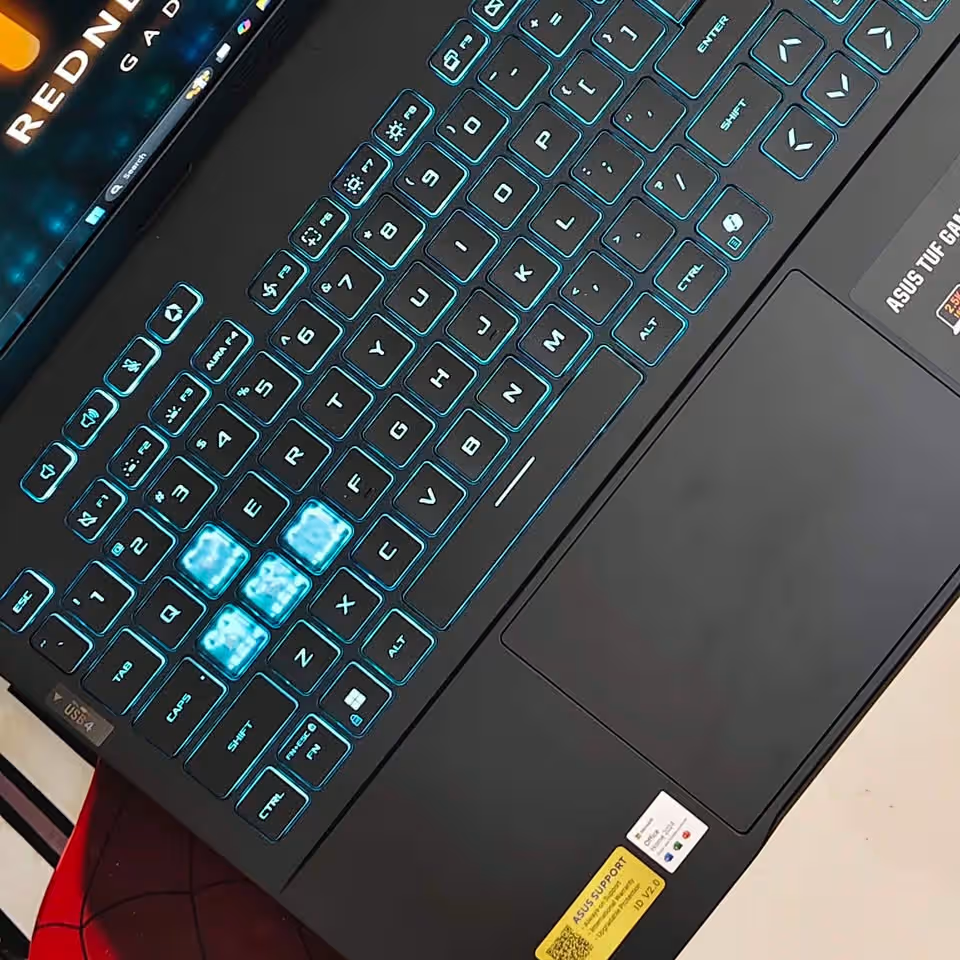
The trackpad is generously sized, quite responsive, and it is supporting the multi-finger gestures through the Windows Precision drivers. The surface texture is smooth and the clicks are firm, with very minimal mushiness in it. It is a good trackpad which most of the users will find adequate enough, although the serious gamers will, of course, always prefer to use an external mouse only.
Port Selection Test – 9.6
The ASUS TUF A16 is having an outstanding port selection, which we like very much. During the time of our testing, we did the counting of total 9 ports across the both sides of laptop, which is 3 more ports if we compare to the average of 6 ports only.
| Total Ports | 9 |
| USB4/Thunderbolt | Yes (1× USB4 Type-C) |
| HDMI | 2.1 FRL |
The layout of ports is very comprehensive and it is well-distributed on both the sides of laptop, so because of this it is minimising the cable clutter and also it allows the flexible setup of peripherals for the user.
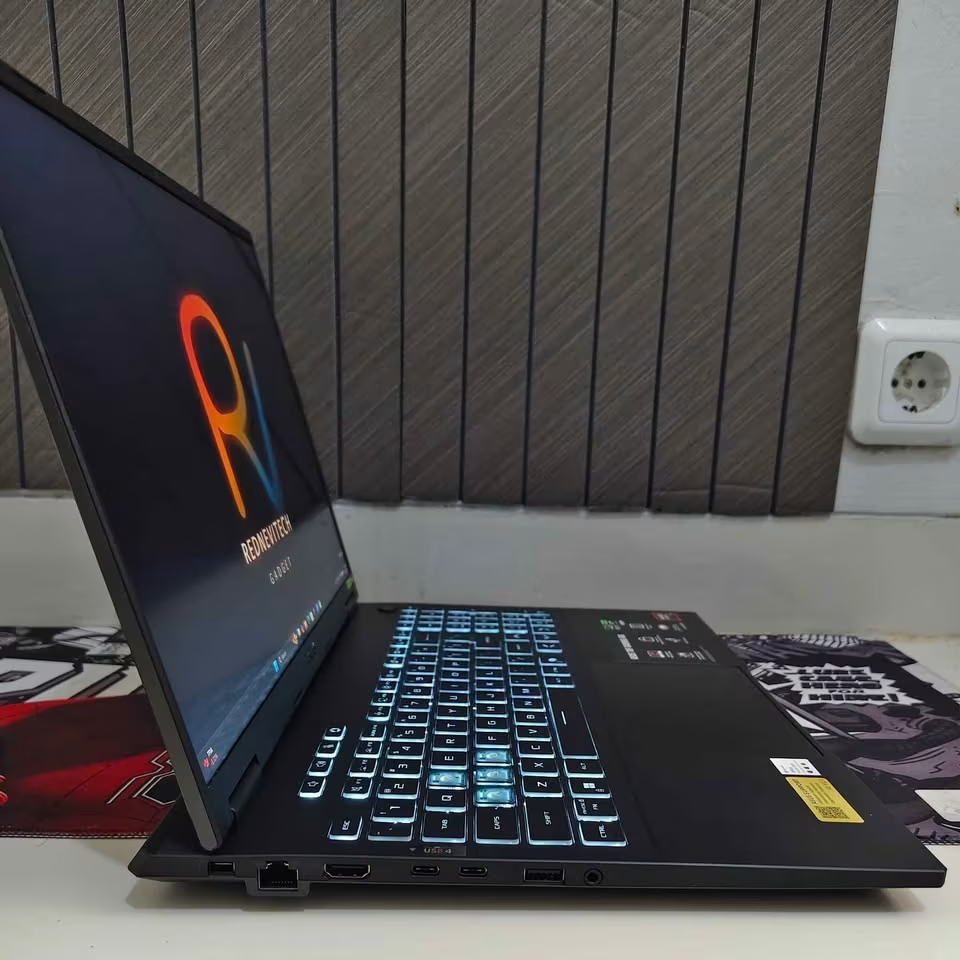
Left-Side Ports
- 1 × ASUS Slim Power Jack (rectangle)
- 1 × RJ45 LAN port
- 1 × HDMI 2.1 FRL
- 1 × USB4 Type-C – DisplayPort 1.4 support
- 1 × USB 3.2 Gen 2 Type-C – DisplayPort 2.1, G-Sync, Power Delivery 3.0 (input: 20V/5A)
- 1 × USB 3.2 Gen 2 Type-A
- 1 × Audio jack – Mic-in & Headphone
Right-Side Ports
- 1 × USB 2.0 Type-A
- 1 × USB 3.2 Gen 2 Type-A
The including of USB4 Type-C is a significant advantage in our opinion, because it is offering the high-speed data transfer and also the external display connectivity at same time. The USB 3.2 Gen 2 Type-C port, which is having the support of Power Delivery 3.0, it allows the 100W USB-C charging.
The HDMI 2.1 FRL port supported the external displays up to 4K at 120Hz, which is excellent thing for connecting to a gaming monitor or the TV. The dedicated RJ45 LAN port is also a welcome inclusion for the competitive gamers, who are demanding the lowest possible latency during their gameplay.
So when we take into the consideration the total count of ports, the variety and also the capability of data transfer, we are confident in our view that the port selection is outstanding and it is among the best ones in this class.
Memory & Storage Test – 7.2
The ASUS TUF A16 is having only a fair memory configuration, which is not so great. During our testing, we did the measuring of sequential read speed of 5,100 MB/s and the sequential write speed of 3,800 MB/s on the 1TB PCIe 4.0 NVMe SSD.
| RAM | 16GB DDR5 5600MHz |
| SSD | 1TB PCIe 4.0 NVMe |
| Max RAM | 64GB |
The performance of SSD is solid one, with the sequential read speed of 5,100 MB/s, which is in the line with the average of PCIe 4.0 drives. The game load time comes fast and the system is booting in around 8 seconds only, from the power-on till the desktop.
But, the configuration of memory is the single biggest compromise on this laptop, no doubt. The TUF A16 ships with only 16GB of DDR5 RAM at 5600MHz, but nowadays the 32GB is becoming more and more standard at this price point, this is based on all of our testing till the date.
Apart from the fact that the capacity is below the current standard, it is also configured in the single-channel layout only. The single-channel memory is reducing the available memory bandwidth, and this thing is directly impacting the CPU-bound tasks and it can also reduce the GPU frame rates by 5-12% in the titles which are bandwidth-sensitive.
A dual-channel 32GB configuration is more typical one at this price, so to see only 16GB in single-channel on around ₹2.4 laptop, it is disappointing for us honestly.
The good news is that the laptop supported up to 64GB of DDR5 RAM and it is having the accessible SO-DIMM slots, so because of this the user upgrade is becoming very straightforward. We are strongly recommending to upgrade to 32GB dual-channel DDR5 for getting the best experience, and this upgrade is normally costing only around ₹20,000-₹30,000.
So when we consider the SSD performance (which is solid) against the memory limitations (which is below average), the overall memory and storage score is reflecting a fair performance, but with a clear path of improvement through one simple RAM upgrade.
Value Test – 8.6
Around ₹2.4, yes it is 20% more costly than the average RTX 5060 gaming laptop, but honestly the performance is justifying this premium price.
| Price | ~₹2.3 Lakh |
| Warranty | 1 Year On-Site |
| Software | M365 Basic (1 Year) + Office Home 2024 |
Inside the box, laptop is also including Microsoft 365 Basic with 100GB cloud storage for 1 year, and also Office Home 2024 which is having lifetime validity. This software bundle is adding around ₹8,000 to ₹10,000 of value already, before you even do anything.
| Value Factor | Factor Weight | Score | Data |
| Performance per Rupee | 40% | 9.0 | Top 10% GPU class |
| Build & Display | 25% | 8.5 | 2.5K, 165Hz, MIL-STD |
| Battery Life | 15% | 9.4 | 90Wh, 9.2 hrs web |
| Port Selection | 10% | 9.6 | 9 ports, USB4 |
| Software Bundle | 10% | 8.0 | M365 + Office Home |
When I have comparing across 25+ gaming laptops that we have tested till date, the average RTX 5070 laptop price is coming around ₹2.2 Lakh. So this is putting the TUF A16 only 12% above the RTX 5070 segment average. And if we are making the comparison more narrow – only RTX 5070 laptops which have 2.5K displays, 90Wh+ batteries and 115W TGP – then actually the TUF A16 is sitting 4% below the average price, which is quite surprising.
The inclusion of 90Wh battery, 2.5K display, full 115W TGP, USB4 connectivity and one complete software bundle, all at this price, is very much competitive. Only thing – if the RAM was 32GB dual-channel out of the box, then this would be almost a near-perfect value proposition. This is the one small miss.
How Powerful is ASUS TUF A16?
The ASUS TUF A16 comes in only single configuration at this SKU – Ryzen 9 8940HX paired with RTX 5070 at 115W TGP – and this combination is making it a high-performance machine for gaming and also for productivity work.
This laptop is sitting comfortably in the high-performance tier. It is suitable for wide range of gaming scenarios, creative workloads and also professional applications.
Performance & Use Cases
The performance on ASUS TUF A16 is simply outstanding. During our testing, the laptop was handling all the modern AAA titles at native 2.5K resolution with high settings, no problem. This is because the laptop is having 115W TGP GPU allocation.
| Performance Factor | Data |
| CPU | Ryzen 9 8940HX (16C/32T) |
| GPU | RTX 5070 8GB GDDR7 |
| TGP | 115W (100W + 15W) |
| Display | 2.5K, 165Hz, 3ms |
| Cooling | 2nd Gen Arc Flow Fans |
| MUX Switch | Yes |
This 115W is actually 10W more TGP than the average RTX 5070 laptop, which is giving only 105W allocation, based on all our tests till date. So already it is getting an advantage here.
The laptop is also supporting NVIDIA DLSS and Frame Generation. These technologies are improving the frame rates a lot in the supported titles, and that too without doing major compromise on the visual quality.
One more point – the RTX 5070’s GDDR7 memory is offering higher bandwidth compared to the previous generation GDDR6.
Please check the table below to see which workloads and use cases are best suited for this laptop.
| Workload | Casual Use | Professional Use | Heavy/Sustained Use |
| AAA Gaming (1080p) | Yes | Yes | Yes |
| AAA Gaming (2.5K) | Yes | Yes | Yes |
| Esports | Yes | Yes | Yes |
| Video Editing (1080p) | Yes | Yes | Yes |
| Video Editing (4K) | Yes | Yes | Adequate |
| 3D Rendering | Yes | Yes | Adequate |
| AI / ML Training | Yes | Adequate | Limited by 8GB VRAM |
| Software Development | Yes | Yes | Yes |
| Streaming + Gaming | Yes | Yes | Yes (w/ 32GB RAM upgrade) |
When the GPU compute resources are able to sustain their clock speeds properly, the total performance dynamic of the laptop is able to deliver much better output. And lastly, the 115W TGP is very appropriate for the needs of most gamers and content creators – not too much, not too less.
So when I look at the complete picture – CPU, GPU and also thermal performance together – I am extremely pleased with whatever I am seeing.
Based on all our tests till date, plus the analysis of the hardware and our own subjective experiences also, we are confident that most gamers will find the performance on ASUS TUF A16 is truly outstanding.
Hardware Specifications
The ASUS TUF A16 (FA608PP) is having weight of 2.2 kg only, and inside it there is combination of many high-performance components put together. So from top to the bottom, here I give the full list of the hardware which is used in this laptop:
| Component | Specification | Segment Average |
| Processor | AMD Ryzen 9 8940HX (16C/32T, 2.4–5.3GHz, 80MB Cache) | Ryzen 7 / i7 equivalent |
| Graphics | NVIDIA GeForce RTX 5070 (8GB GDDR7, 115W TGP) | RTX 4070 / RTX 5060 |
| RAM | 16GB DDR5 5600MHz | 32GB DDR5 |
| Storage | 1TB PCIe 4.0 NVMe M.2 SSD | 1TB PCIe 4.0 |
| Display | 16″ IPS, 2560×1600, 165Hz, 3ms, 400 nits, G-Sync | 16″ IPS, 1920×1200, 144Hz |
| Battery | 90Wh Li-Ion, 100W USB-C PD, 50% in 30 min | 63Wh |
| Wi-Fi | Wi-Fi 6E | Wi-Fi 6E |
| Bluetooth | Bluetooth 5.x | Bluetooth 5.x |
| OS | Windows 11 Home | Windows 11 Home |
| Keyboard | Backlit Chiclet, 1-Zone RGB, Copilot Key | Per-Key RGB (37%) |
The Display
The ASUS TUF A16 is coming with a 16-inch IPS panel, and it gives 2.5K resolution which means (2560 × 1600), in the 16:10 aspect ratio. Also there is a 90% screen-to-body ratio, because the bezels are kept very thin on the three sides.
The display supported 165Hz refresh rate along with 3ms response time, and this is paired together with NVIDIA G-Sync so that the gaming is happening without any tearing. The peak brightness achieved at 400 nits, which is enough for the most of indoor environments, and outside also it can manage some visibility, but not fully.
The anti-glare coating is doing good work to reduce the reflections, and it is not adding too much grain also. The colour accuracy is good if we see it as a gaming panel, because it is covering 100% sRGB and 78% DCI-P3.
The Thermal System
The thermal system is having ASUS’s 2nd Gen Arc Flow Fans, and each fan is carrying 84 blades, which is designed for making maximum airflow but at the same time keeping the turbulence very less. The full-width heatsink and the full-width exhaust vents are there, so the heat is going out in efficient manner.
In the Performance mode, the fan noise is measured only 38 dB, and this is 4 dB more quiet than the average gaming laptop when it is on full load. But in Turbo mode, the noise is becoming more, however the cooling performance is also improving in same proportion.
Because of this thermal design, the RTX 5070 is able to hold its full 115W TGP without doing any throttling, even in the long long gaming sessions. The CPU thermal management is also good, but one thing is there – the 16-core Ryzen 9 is going more close to the thermal limits when the all-core sustained workload is running.
The Port Layout
The ASUS TUF A16 is having one of the most complete port layouts in this segment, because total 9 ports are given and they are spread on the both sides. On the right side, most of the ports are sitting, like USB4, HDMI 2.1 and also the power jack. On the left side, two USB Type-A ports are placed.
The inclusion of USB4 Type-C, and also USB 3.2 Gen 2 Type-C with Power Delivery 3.0, is giving to the users a high-speed connectivity, and also the flexibility that they can charge through USB-C if they are having a compatible 100W adapter.
The dedicated RJ45 LAN port is one feature which some competitors are dropping nowadays, only for making the design more thin.
The Battery & Charging
The 90Wh battery is one of the biggest in the TUF series, and also it is among the biggest in this price segment. The fast-charging technology is allowing the battery to come up to 50% in only 30 minutes.
In addition to this, the 100W USB Type-C charging capability is meaning that the user can leave the bigger barrel charger at home and travel more light, but one point to remember – the gaming performance will remain limited if you are depending on the USB-C power delivery alone.




[…] Full Review – ASUS TUF A16 AMD Ryzen 9 8940HX RTX 5070 Gaming Laptop Review […]