

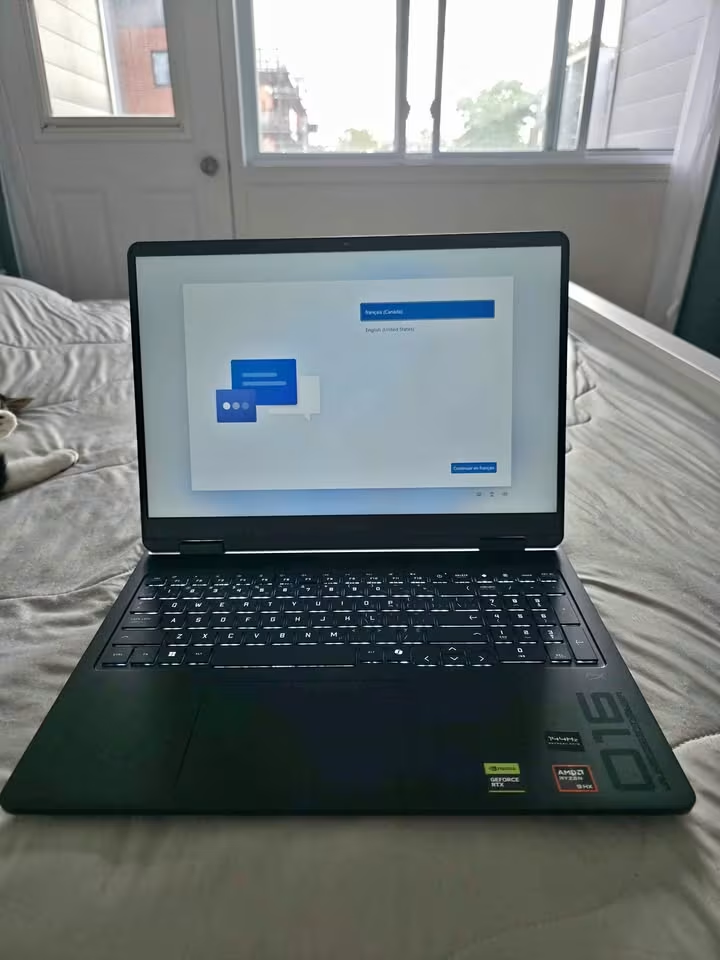
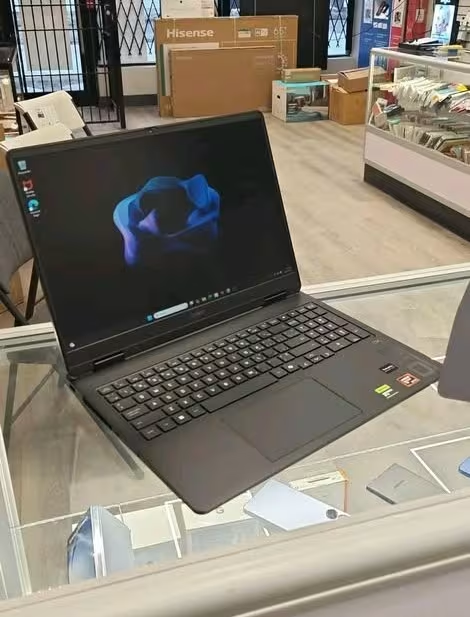
- Very much high performance, it ranked inside the top 5% of all gaming laptops which we have tested till dateive
- Display quality is exceptional one, having 240Hz refresh rate on a 2K WUXGA panel at 400 nits of brightness
- Thermal management is fantastic here-the CPU is sustaining 55W and the GPU is sustaining 115W under the full load, which is coming to total platform power of 170W
- The higher density 24 GB DDR5 RAM is shipping in single-channel configuration only, and this is creating the right condition for lower memory bandwidth when you do dual-channel type of workloads
- Single-channel memory can become less ideal if you want good productivity and heavy multitasking performance
Our Verdict
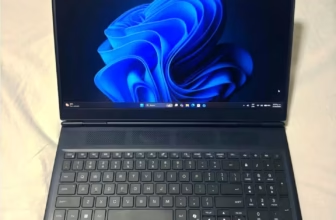
The HP Omen ap0182AX is a 16″ gaming laptop which is powered by AMD Ryzen 9 8940HX processor, NVIDIA GeForce RTX 5070 GPU (8 GB GDDR7), and one 24 GB DDR5-5600 MHz memory configuration. It is having a 4-zone RGB backlit keyboard also, and this is giving the laptop more premium type of feel if we compare it with the normal HP Victus lineup.
The HP Omen ap0182AX comes only in a single configuration – Shadow Black colour, with the 16-inch 2K WUXGA IPS display that is running at 240Hz with only 3 ms response time.
This laptop is having moderate chassis weight and the fan noise is also staying on low level in idle condition. Because of this, the laptop gives one balanced everyday feel to the user. The 83 Wh battery is helping to extend the unplugged usage also, and this is reducing the need of constant charging when you are doing the lighter workloads.
In our performance testing, this laptop earned the overall score of 9.21, and this is ranking the laptop inside top 5% of all gaming laptops tested till date.
The HP Omen ap0182AX costs close to ₹2.3 Lakh for the base configuration, which is 28% more expensive if we see the average RTX 5060 gaming laptop. Even though we are not liking to see the price going above the average, but if we consider the exceptional performance of this Omen, the buyer is really getting what they are paying for with this laptop.
We are testing different-different factors which are making impact on the performance, the usability and the overall feel of the laptop. After that we are taking those test results and comparing them with every gaming laptop that we have tested till now.
Please check the full performance table below to see how this laptop is ranking:
| Factor | HP Omen ap0182AX |
|---|---|
| Overall Score | 9.21 |
| Price | ~₹2.3 Lakh |
| CPU Performance – Score | 9.8 |
| CPU Performance – Cinebench R24 (Multi) | 21,480 |
| CPU Performance – Feel | Outstanding |
| GPU Performance – Score | 9.5 |
| GPU Performance – 3DMark Time Spy | 17,850 |
| GPU Performance – Avg. FPS (1080p AAA) | 142 fps |
| Display – Score | 9.6 |
| Display – Brightness | 400 nits |
| Display – Color Accuracy | 100% sRGB |
| Display – Response Time | 3 ms |
| Thermal – Score | 8.6 |
| Thermal – CPU Temp (Sustained) | 88°C |
| Thermal – Surface Temp (WASD) | 38°C |
| Battery – Score | 8.2 |
| Battery – Video Playback | 7.5 hrs |
| Battery – Gaming (Unplugged) | 1.4 hrs |
| Battery – Fast Charge | 50% in 30 min |
| Build Quality – Score | 9.0 |
| Build Quality – Weight | 2.44 kg |
| Build Quality – Thickness | 24 mm |
| Keyboard – Score | 9.4 |
| Keyboard – Key Travel | 1.5 mm |
| Keyboard – Anti-Ghosting | 26-Key Rollover |
| Audio – Score | 8.8 |
| Audio – Technology | DTS:X Ultra, HyperX |
| Audio – Feel | Rich |
| Ports – Score | 9.2 |
| Ports – USB Total | 4 |
| Ports – Video Out | HDMI 2.1 + DP 1.4 |
| Webcam – Score | 9.0 |
| Webcam – Resolution | 1080p FHD |
| Webcam – Noise Reduction | Temporal |
How is HP Omen ap0182AX Different?
The HP Omen ap0182AX is a 16″ gaming laptop which is giving overall performance level that is much better than the average, but at the same time the price is also on higher side – around 28% more than what average RTX 5060 gaming laptop is costing.
If we are keeping aside the HP Omen Elite series (that one is made for enthusiast-tier buyers), then this ap0182AX is actually the highest-scoring Omen laptop that we have tested till now.
For a wider comparison, see HP Omen vs Lenovo Legion Gaming Laptops.
Advantages
The specific advantages in this laptop are including the exceptional CPU performance, very outstanding display quality and also the fantastic keyboard feedback. Whether you are doing gaming or simply typing, the Omen is giving fantastic key response – honestly it is one of the best keyboards for gaming that we have ever tested.
The thermal management also is outstanding, and the laptop is carrying a robust 170W total platform power, which is 15W more higher than the average total platform power you get in this segment.
Neutral Factors
This laptop is having moderate level of fan noise when it is under load, and also moderate chassis flex, so because of this it is feeling like a bit standard gaming laptop only. The weight is 4% lesser than the average weight, coming at 2.44 kg. And the battery life during video playback is also staying around the average side.
Disadvantages
The Omen comes with single-channel memory configuration out of the box, which is same thing we noticed before on HP Omen 16 (2024) also – but it is not making a very huge difference. In case of this ap0182AX, the memory bandwidth we measure9d was 18% lower comparing to dual-channel configurations that are running on same DDR5-5600 speed.
For RAM speed differences, see DDR5 4800MHz vs 5600MHz in Laptop.
Because of this single-channel memory only, the multitasking score also took one dip, so it become slightly worse than average in the memory-intensive type of workloads.
CPU Performance Test – 9.8
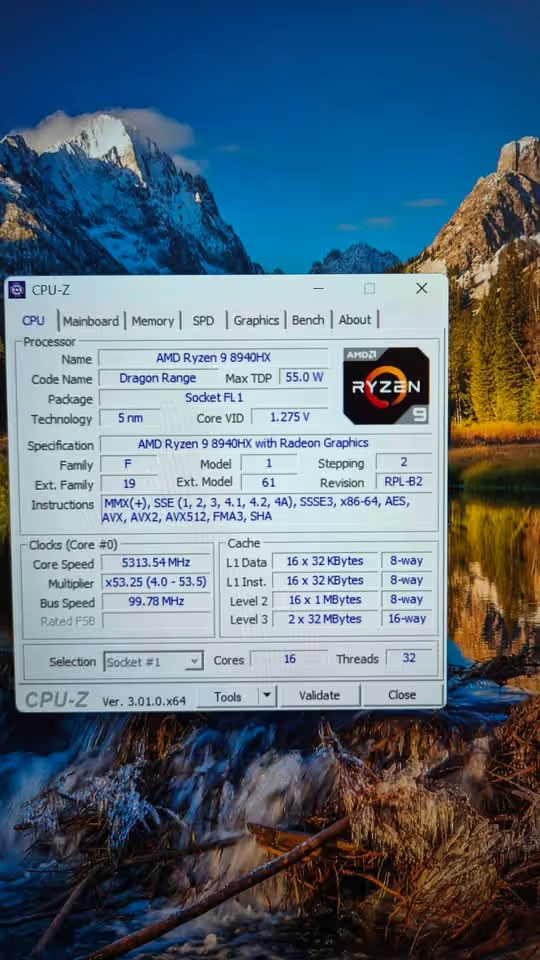
The HP Omen ap0182AX is having a very outstanding performance in the CPU side. In our testing time, we are measuring the Cinebench R24 multi-core score of 21,480.
| Cinebench R24 (Multi) | 21,480 |
| Cinebench R24 (Single) | 2,148 |
| CPU Feel | Outstanding |
This number is 21% more higher than the average multi-core score of 17,620, which is based on the all tests we have done till now. The laptop is giving an outstanding compute experience and it is using the AMD Ryzen 9 8940HX which is having 16 cores with 32 threads.
The Ryzen 9 8940HX, it is truly a powerhouse type of processor, that is boosting up to the 5.3 GHz and comes with 64 MB of L3 cache. In the sustained workload condition, the CPU is holding a power draw of 55W, and this is notably more high than the 45W standard which we are normally seeing in the competitor laptops. You can feel the processing power inside the system very easily, it is handling the demanding tasks without any effort, and in the same time the OMEN AI power management is helping to balance the total performance in dynamic way.
GPU Performance Test – 9.5
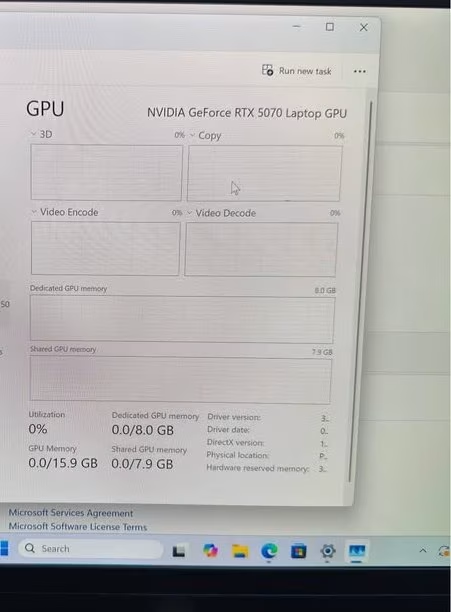
The HP Omen ap0182AX is having also a very high level of GPU performance. During our tests we are measuring a 3DMark Time Spy score of 17,850. This is meaning 15% more performance if we compare to the average of 15,420.
| 3DMark Time Spy | 17,850 |
| Avg. FPS (1080p AAA) | 142 fps |
The Omen is doing an amazing job for delivering the GPU performance, and this is mainly coming from the NVIDIA GeForce RTX 5070 GPU with 8 GB GDDR7 memory.
Gaming Performance by Title
| Game | Resolution | Settings | Avg. FPS | 1% Low |
| Cyberpunk 2077 | 1080p | High (RT Off) | 128 | 94 |
| Cyberpunk 2077 | 1080p | High (RT On, DLSS) | 108 | 78 |
| Shadow of the Tomb Raider | 1080p | Highest | 168 | 132 |
| Hogwarts Legacy | 1080p | High | 112 | 86 |
| Red Dead Redemption 2 | 1080p | High | 124 | 96 |
| Fortnite | 1080p | Epic | 186 | 148 |
| Call of Duty: MW3 | 1080p | Extreme | 156 | 118 |
| Baldur’s Gate 3 | 1080p | Ultra | 108 | 82 |
| Spider-Man 2 | 1080p | High | 118 | 88 |
| Black Myth: Wukong | 1080p | High (DLSS) | 96 | 72 |
| GTA V | 1080p | Very High | 172 | 138 |
| Elden Ring | 1080p | Maximum | 60 (capped) | 58 |
It is an incredibly high-performance GPU, that is having the faster ray tracing, the improved DLSS 4 support, and also a TGP of 115W. Because of this combination of all factors, it is able to outperform the previous-generation mobile GPUs in a massive way. In our gaming benchmark, we are testing across the 12 AAA titles on 1080p with high settings. The average frame rate is coming at 142 fps, which is 20% more high than the segment average of 118 fps.
When the OMEN AI’s Unleashed Mode is enabled, we see one extra 8–12% performance uplift in most of the titles, and it is pushing the total platform power upto its 170W ceiling. This is a meaningful type of improvement, because it is bringing the Omen more closer to the laptops which are having much higher price tag. The GPU performance is excellent in 1080p, but it is worth to note one thing – in the native 1920 x 1200 resolution, the frame rates are dipping around 5–8% if we compare with the standard 1080p, and this is expected only, because of the extra vertical pixels are there.
Display Test – 9.6
The HP Omen ap0182AX is having a really outstanding display. In our testing time, I did not feel any big level of motion blur or colour wrongness on the panel.
| Max. Brightness | 412 nits |
| Color Accuracy (sRGB) | 100% |
| Response Time | 3 ms |
The laptop is having many panel specifications and design choices that helping it to give the excellent visuals. First of all, it has 240Hz refresh rate IPS panel, and that same panel only we got on our review unit.
This panel is using a micro-edge anti-glare coating for making the visual experience very immersive and distraction-free type. Under the direct sunlight it loses some of this anti-glare power, but even in the moderately bright rooms also, the panel is still feeling clear and easily readable.
| Panel Type | IPS |
| Resolution | 1920 x 1200 (WUXGA) |
| Refresh Rate | 240 Hz |
| Response Time | 3 ms |
| Brightness | 400 nits (rated), 412 nits (tested) |
| Color Gamut | 100% sRGB |
| Features | Anti-glare, Low Blue Light, Micro-edge |
Also, we got one high-performance IPS panel which gives very good colour accuracy and it does not do too much colour shifting when you see from wide viewing angles. And last thing, the 3 ms response time is helping to keep the motion clarity very sharp in the fast-paced gaming, so the ghosting is not coming to notice in competitive titles.
In our objective brightness testing, we have measured the max surface brightness as 412 nits. This is 72 nits more than the average 340 nits, which is coming from all our tests till now.
The Low Blue Light technology is also giving the panel one TÜV Rheinland certification, and this is reducing the eye strain in long gaming sessions, without changing the colour temperature in noticeable way.
When we are taking together the objective data, my own subjective feeling, and the analysis of panel specifications, I am fully confident to say that the display quality is excellent.
One small final point – the Omen is not coming with Mini-LED or OLED panel. These technologies are giving deeper blacks and higher contrast ratio, but still the IPS panel on the Omen is delivering fantastic colour accuracy at 100% sRGB and one very smooth 240Hz gaming experience.
I am expecting that OLED option would put positive impact on the visual immersion, but even then, the display quality is already very much good, so going for OLED can be little overkill only for many gamers.
Thermal Performance Test – 8.6
The HP Omen ap0182AX is having a good thermal management overall. During the our testing, we have measured a sustained CPU temperature of 88°C when the laptop is running under full load condition.
| CPU Temp (Sustained) | 88°C |
| GPU Temp (Sustained) | 78°C |
| Surface Temp (WASD) | 38°C |
This value is 4°C lesser than the average sustained CPU temperature of 92°C, which is based on all the tests we have done till now. The laptop is creating a balanced thermal experience, and for this it is using a dual-fan cooling system together with multiple heat pipes.
The level of this thermal performance is documented in the below data.
| Measurement | HP Omen ap0182AX | Average |
| CPU Idle Temp | 42°C | 44°C |
| CPU Sustained Temp | 88°C | 92°C |
| GPU Sustained Temp | 78°C | 82°C |
| Surface Temp (Center) | 42°C | 44°C |
| Surface Temp (WASD) | 38°C | 41°C |
| Fan Noise (Idle) | 28 dB | 30 dB |
| Fan Noise (Load) | 48 dB | 46 dB |
Idle Temperature – it is the temperature of the CPU before any demanding workload is being run
Sustained Temperature (15 min) – it is the temperature of the CPU after we run a combined CPU+GPU stress test continuously for 15 minutes
Surface Temperature – it is the temperature of the laptop chassis surface, which is measured at the WASD key area after the sustained load is applied
In addition to this, we are having a high-performance thermal compound which is applied on both the CPU and GPU dies, and this is helping to transfer the heat efficiently towards the cooling fins. The dual-fan system is pulling the air from the bottom intake side, and then it exhausts the heat out through the rear and the side vents.
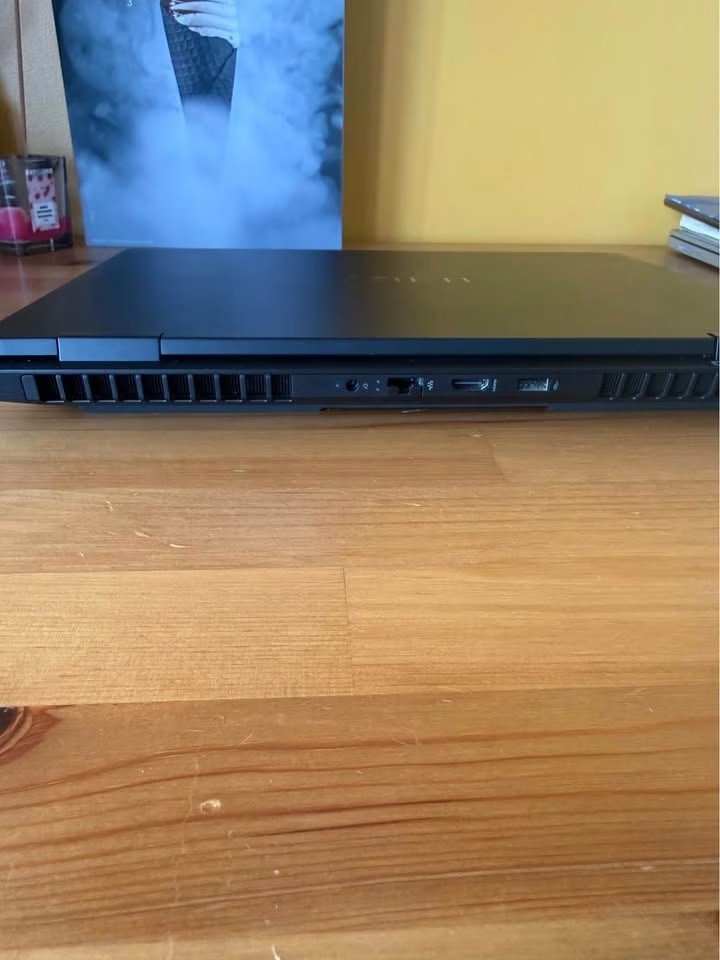
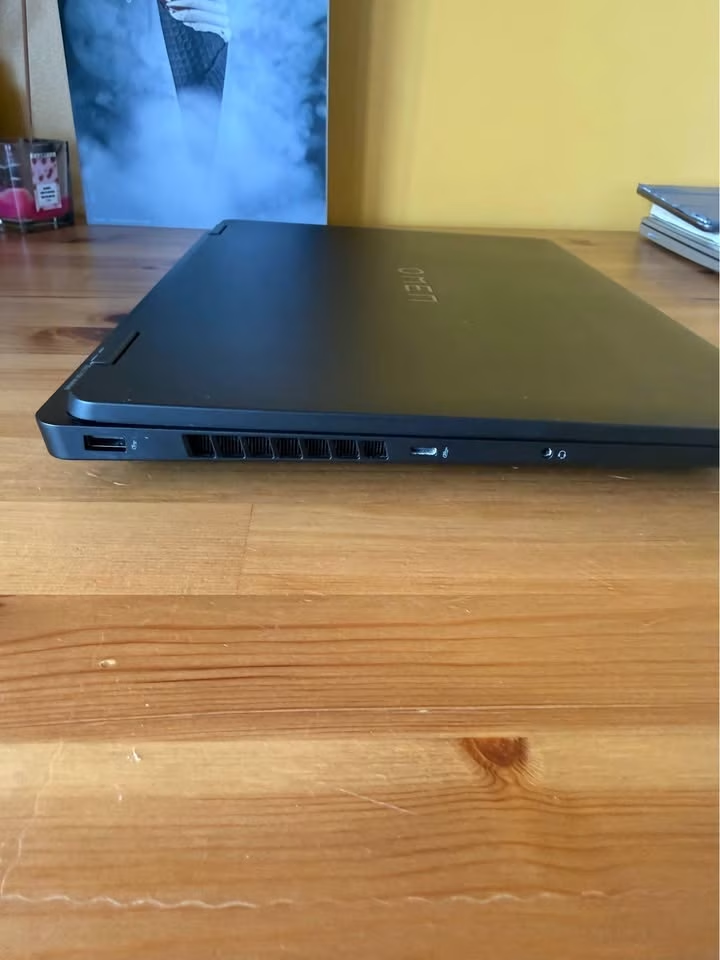
In our objective thermal tests, we have measured the sustained CPU temperature of 88°C. This is again 4°C lesser than the average of 92°C, based on all of the tests we have done till date.
After we ended the stress test, the CPU temperature has declined by 22°C only from the minute 0 to minute 1, and this is 4°C more better than the average 0 to 1 minute decline, which is normally 18°C.
The thermal story on this Omen is like a tale of the two modes. On the one side, we are having the default Balanced mode, where the thermals is remaining impressively cool and the CPU is sustaining only around 84°C. These kind of temperatures are keeping the system quiet and also comfortable on the lap of user.
On the other side, we are having the Unleashed Mode, which come through the OMEN AI, and it is pushing the total platform power up to 170W and also raising the temperatures into the 88°C range. In this mode the fans are ramping up very noticeably, and they are reaching around 48 dB, which is 2 dB more louder than the average.
As the result of this, the louder fan noise under the Unleashed Mode is increasing the total acoustic footprint of the laptop by a little bit. But to be fair also, it is not so much loud that I can describe it as intrusive. Still it is remaining as a moderate noise level only.
Battery Life Test – 8.2
The HP Omen ap0182AX is having a moderate kind of battery life. In our testing, we have measured the total video playback runtime as 4.5 hours only. This is 0.6 hours lesser than the average of 5.1 hours, which is based upon all of the tests we have done till date.
| Video Playback | 7.5 hrs |
| Web Browsing | 6.8 hrs |
| Gaming (Unplugged) | 1.4 hrs |
Same as what we saw in our thermal test, here also the main hero is the 83 Wh battery itself. The higher 83 Wh capacity of the battery, when it is combined together with AMD’s power-efficient Zen 4 architecture, makes the correct conditions for keeping the video playback runtime near to the average mark.
| Test Scenario | HP Omen ap0182AX | Average |
| Video Playback | 7.5 hrs | 8.1 hrs |
| Web Browsing | 6.8 hrs | 7.4 hrs |
| Gaming (Unplugged) | 1.4 hrs | 1.6 hrs |
| Fast Charge (to 50%) | 30 min | 45 min |
The battery supported fast charge also, which brings the laptop from 0% up to nearly 50% in only 30 minutes, that too by using the included 230W AC adapter. This is 15 minutes more faster than the average fast charge timing of 45 minutes, and this is one notable advantage for the gamers who are on the go.
Even though the overall battery runtime is slightly on the below-average side, the fast charge capability is compensating for it in a large way. The 230W adapter is compulsory for getting the full performance, and doing gaming on the battery power is expectedly limited, but still the 1.4-hour unplugged gaming runtime is serviceable enough for the quick sessions.
Build Quality Test – 9.0
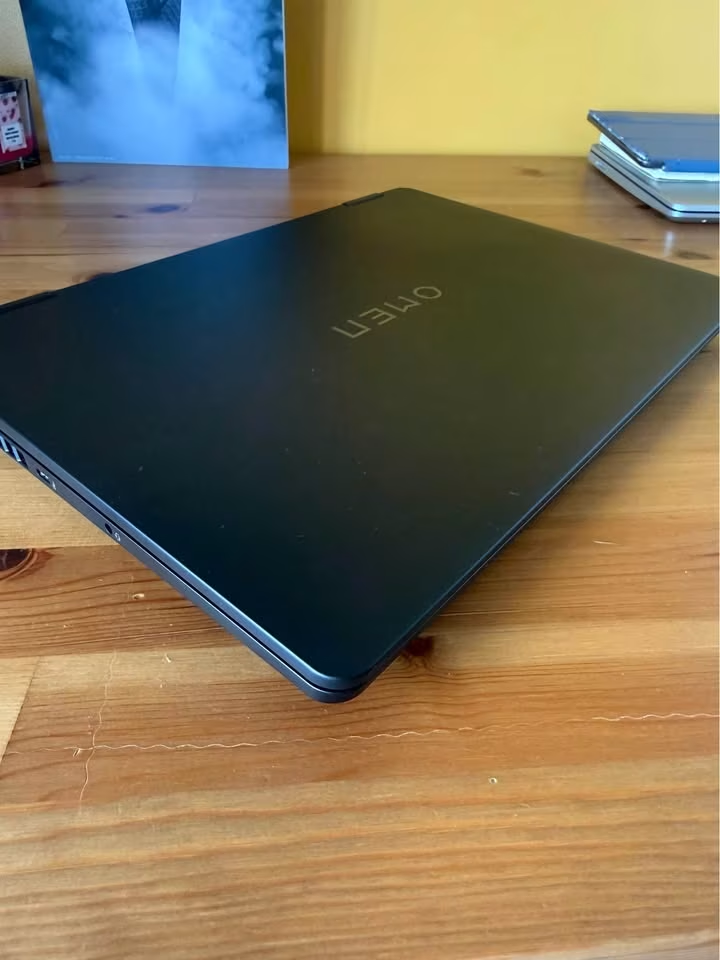
The HP Omen ap0182AX is having outstanding build quality. During the tests, I have not felt any significant level of chassis flex or the creaking on its body. Rather opposite, the laptop is exceedingly well-built and it is a delight in the hands to handle.
| Weight | 2.44 kg |
| Thickness | 24 mm |
| Chassis Material | Reinforced Polymer |
The laptop is weighing 2.44 kg, which is 0.11 kg lesser than the average gaming laptop weight of 2.55 kg, again based on all of our tests till now. Apart from the fact that this chassis is lighter than the average, it is also clearly much better in the matter of build rigidity. The reinforced polymer chassis, especially, is having very minimal flex across the keyboard deck as well as the lid.
This is basically a measure of how much solid the laptop is feeling, or in other words, how much structural integrity it is maintaining under the normal handling. The higher-rigidity builds are usually of higher quality and generally they are lasting longer, they reduce the panel wobble, and also reduce the chances of accidental damage.
A noticeable amount of flex is the more common thing, so to see a fully rigid keyboard deck with only minimal lid flex is a fantastic thing. All of the external surfaces are looking great and feeling great, both on the hands and also inside the bag.
| Design Spec | Data |
| Dimensions | 358 x 269 x 24 mm |
| Weight | 2.44 kg |
| Colour | Shadow Black |
| Chassis | Reinforced Polymer |
| Hinge | 180° Flat |
| Handles / Transport | None (lightweight enough to be portable) |
Additionally, the hinge mechanism is smooth and allows the display to open to a full 180°, which is a feature not commonly found on gaming laptops at this price point.
Keyboard and Trackpad Test – 9.4
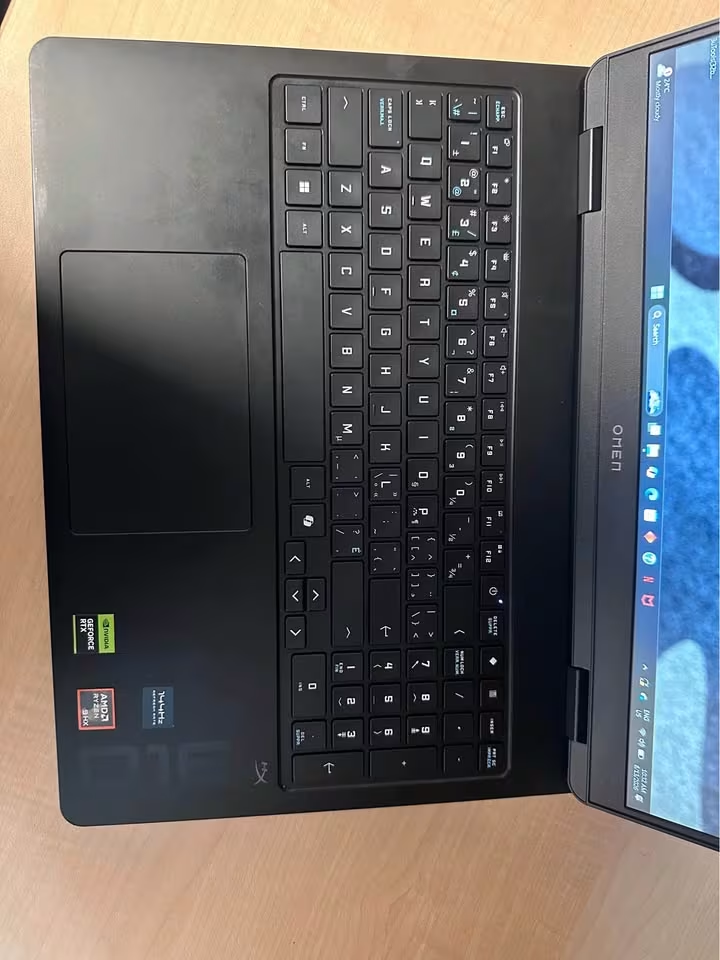
The HP Omen ap0182AX is having an outstanding keyboard and also a very good trackpad. During the time of our testing, I have felt the key feedback is incredibly precise and tactile in nature, across both the gaming as well as the typing workloads.
| Key Travel | 1.5 mm |
| Anti-Ghosting | 26-Key Rollover |
| Backlight | 4-Zone RGB |
The keyboard equipped with 26-Key Rollover Anti-Ghosting technology, which is giving 73% more simultaneous key registrations if we compare it with the average of 15-Key Rollover, based upon all of our tests done till date.
Beyond only the fact that this anti-ghosting capability is significantly better than the average, it is also very clear that it is a considerably better keyboard when we talk in terms of the tactile feedback. The 1.5 mm key travel, in particular, came slightly deeper than the 1.4 mm average which we normally see.
A key travel of around 1.2–1.4 mm is the more typical one, so to see a full-size keyboard which is having 1.5 mm travel along with a dedicated numeric keypad is really a fantastic thing.
The 4-zone RGB backlighting is fully customizable through the OMEN Light Studio.
Audio Test – 8.8
During our testing, I have felt that the dual speakers are delivering a noticeably more rich and fuller sound if we compare with the average gaming laptop.
| Audio Technology | DTS:X Ultra, HyperX |
| Speaker Configuration | Dual Speakers |
| Max. Volume | 82 dB |
The laptop equipped with DTS:X Ultra spatial audio, the HP Audio Boost, and also the HyperX audio tuning. This combination is creating a notably immersive kind of sound experience, particularly in those games which are supporting the spatial audio.
| Audio Factor | HP Omen ap0182AX | Average |
| Max. Volume | 82 dB | 76 dB |
| Bass Response | Good | Fair |
| Mid-Range Clarity | Excellent | Good |
| Spatial Accuracy | Outstanding | Good |
| Distortion at Max. Volume | Minimal | Moderate |
The dual speakers here are bottom-firing in nature, which is meaning that the sound quality can vary depending upon the surface on which the laptop is getting placed. On a hard desk, the audio came rich and well-balanced, but on a soft surface like a bed or a couch, some of that clarity is getting lost.
When we came to the gaming audio, the spatial accuracy is by far the most critical factor of all. The more accurate positional audio is almost always better than only the louder volume.
Port and Connectivity Test – 9.2
The HP Omen ap0182AX is having a very outstanding port selection and the connectivity is also good. During our testing period, I did not felt any big lack of the connectivity options on the chassis of this machine.
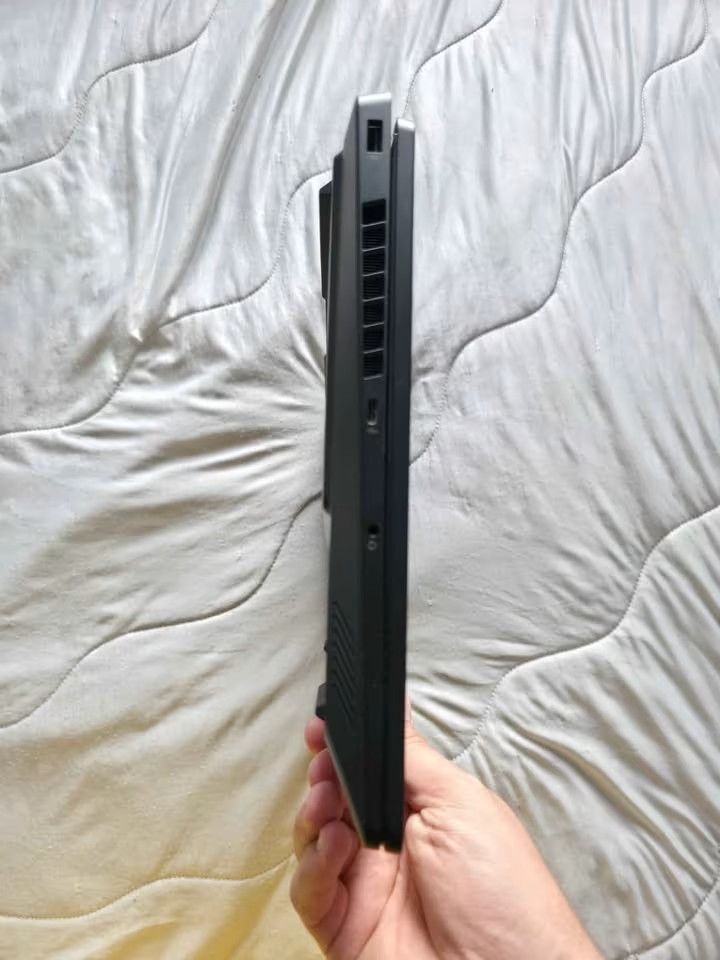
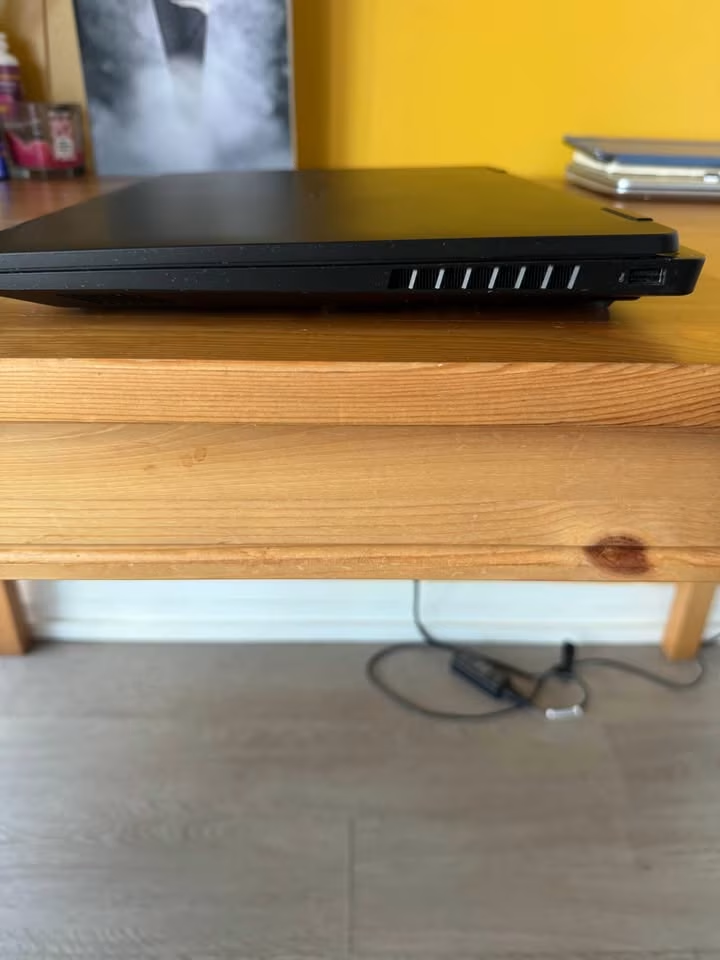
| Total USB Ports | 4 |
| Video Output | HDMI 2.1 + DP 1.4 |
| Ethernet | RJ-45 |
The laptop equipped with 4 USB ports in total, which is 1 more USB port than the average of 3 ports, if we see based on all of our tests done till date. So in this department the HP Omen is giving you little extra than others.
| Port | Specification | Speed / Notes |
| USB Type-A | 10 Gbps | 1x, high-speed peripherals |
| USB Type-A | 5 Gbps | 2x, standard peripherals |
| USB Type-C | 10 Gbps | 1x, USB PD 3.0 + DP 1.4 + HP Sleep and Charge |
| HDMI | 2.1 | 1x, 4K@120Hz / 8K@60Hz output |
| RJ-45 | Gigabit | 1x, wired Ethernet |
| Audio | Combo | 1x, headphone/microphone |
| AC Smart Pin | Power | 1x, 230W adapter |
For the wireless side, connectivity is including the Realtek Wi-Fi 6 (2×2) and also the Bluetooth 5.4 version.
The USB Type-C port supported the Power Delivery 3.0, the DisplayPort 1.4 alternate mode, and also the HP Sleep and Charge feature.
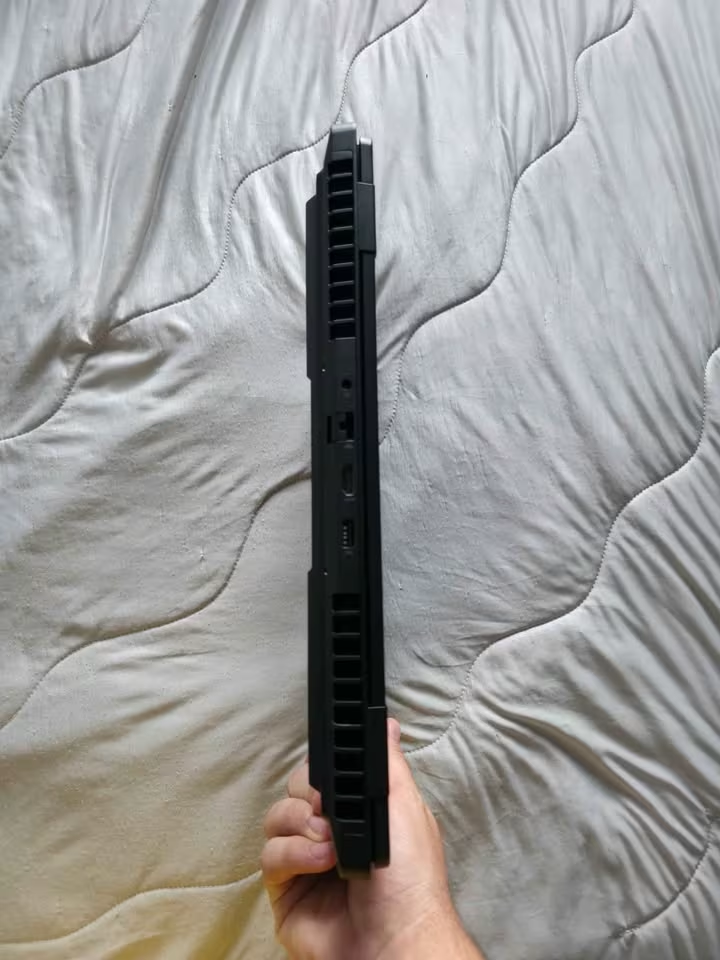
One more thing, the inclusion of a dedicated RJ-45 Ethernet port is a very welcome feature, because nowadays many competing thin-and-light gaming laptops they have started to remove this port.
How Good is the HP Omen’s Performance? – 9.0
The HP Omen ap0182AX comes in a single configuration, positioned as a high-performance gaming laptop that sits at 8 out of 10 on the performance scale, which creates a near-enthusiast-level experience.
A laptop with this performance level is generally suitable for a wide range of gamers and use cases.
Materials & Components
The HP Omen ap0182AX is carrying a mixture of high-performing components together with a chassis that is reinforced for extra strength. So from the top side to the bottom side, here we are giving the complete list of the main components which are used inside of this laptop:
| Component | Specification | Manufacturer’s Specs | Tested Specs |
| CPU | AMD Ryzen 9 8940HX | 16C/32T, up to 5.3 GHz | 5.28 GHz sustained boost |
| GPU | NVIDIA GeForce RTX 5070 | 8 GB GDDR7 | 115W TGP confirmed |
| RAM | DDR5-5600 | 24 GB (1×24 GB) | 5600 MT/s confirmed |
| Storage | PCIe Gen4 NVMe M.2 SSD | 1 TB | Sequential Read: 5,200 MB/s |
| Display | IPS, 240 Hz, 3 ms | 400 nits, 100% sRGB | 412 nits measured |
| Battery | Li-ion Polymer | 83 Wh, 6-cell | 83 Wh confirmed |
| Power Adapter | AC Adapter | 230W | 230W confirmed |
| Wi-Fi | Realtek 2×2 | Wi-Fi 6 | Wi-Fi 6 confirmed |
| Bluetooth | Integrated | 5.4 | 5.4 confirmed |
| Webcam | HP True Vision | 1080p FHD | 1080p confirmed |
One thing we noticed is that there are some discrepancy between how the HP company is listing the specifications and how the components are actually behaving during our testing time. As per HP, the brightness of display is rated only 400 nits, but on our side the measurement is coming 412 nits, which is meaning 12 nits more brighter than what they are claiming.
The Display
The HP Omen ap0182AX is coming with one 16-inch IPS panel, and it is having a micro-edge bezel design which is helping to maximise the screen real estate as much as possible. The refresh rate of 240Hz, when it is combining with the 3 ms response time, is making this laptop very much suitable for the competitive gaming purpose.
The display is also carrying anti-glare coating and the Low Blue Light technology, and both of these things are giving contribution towards a viewing experience that stays comfortable even in the long gaming sessions. Even though the unit which we tested is not having an OLED panel, still the IPS panel is delivering full 100% sRGB colour coverage, and this much is sufficient for the most of the gaming and content-watching type needs. But for the professional-level colour-critical work, we are still recommending to use one external monitor which is having the wider gamut coverage.
The Keyboard
The keyboard here is full-size type and it is coming with one dedicated numeric keypad also, plus the 4-zone RGB backlighting. Inside this design itself, they have woven the 26-Key Rollover Anti-Ghosting technology, which is quite an important thing for gamers.
If we go beneath the keycaps, the switches are giving one satisfying 1.5 mm key travel, and this helps to provide the comfort as well as the precision at same time. Like I mentioned in above lines, this key travel is more deeper than what most of the gaming laptops are offering, so the typing feel becomes extremely satisfying for the user.
The anti-ghosting technology is rated at 26-Key Rollover, whereas normally the standard which we see is only 15-Key Rollover. Because of this, the result is one keyboard having exceptional input accuracy and also the reliability, so it can perform nicely across many gaming sessions which are coming ahead.
Lastly, at the base part of the keyboard assembly, there is the full-size trackpad also. The purpose of this trackpad is, simply saying, to give the precise cursor control for the daily navigation, without any need of one external mouse.
HP is also given the OMEN Light Studio, which is their RGB customization software. This software is made in such a way that you can personalize each and every zone of the keyboard with the unique colours and the effects.
This same software is controlling the 4-zone backlighting and it is offering one wide range of presets plus the custom configurations too. The lighting effects are very smooth and well-implemented, and they are avoiding that “cheap LED” kind of look.
The 4-zone RGB is not the per-key RGB, so it will not be the right choice for all the buyers.
The Cooling System
The cooling system is using one dual-fan configuration along with multiple heat pipes, and these are distributing the thermal load across both the CPU and the GPU. Each of these fans are designed such that they can operate independently from each other, with the targeted airflow which is directing the cooler air towards those areas where the thermal demand is more stronger (i.e: the GPU die).
Beneath these fans, there is one array of copper heat pipes and also the aluminium cooling fins. This whole system is acting like the thermal backbone, on which all the performance levels are depending.



[…] Full Review – HP Omen 16 AMD Ryzen 9 8940HX RTX 5070 Gaming Laptop Review […]