
Buy 14-inch laptop if you carrying it to college, office or co-working space everyday. Pick 16-inch one if laptop is sitting on desk 80% of the time mostly. This is the short answer only. But the screen size is affecting many more things than just portability, it changing how you do coding, editing, gaming and even how much battery is lasting also. We have done testing of both size side by side, and the correct pick is fully depending on how you planning to use it. So which laptop size is best one for you? Please read more below.
14-Inch vs 16-Inch Laptop — How Much Big Is the Real Difference?
Most peoples are imagining one huge gap between 14-inch and 16-inch laptops. But the reality? Much more smaller than what you are thinking.
Screen Size, Body Size, and Why These Numbers Are Lying
The screen measurement is taken diagonal only, means corner to corner. One 14-inch display is measuring 35.56 cm in diagonal, and 16-inch is measuring 40.64 cm. So that is around 5 cm of difference on the diagonal line. It is sounding very big. But the real body (chassis) of laptop is telling totally different story actually.
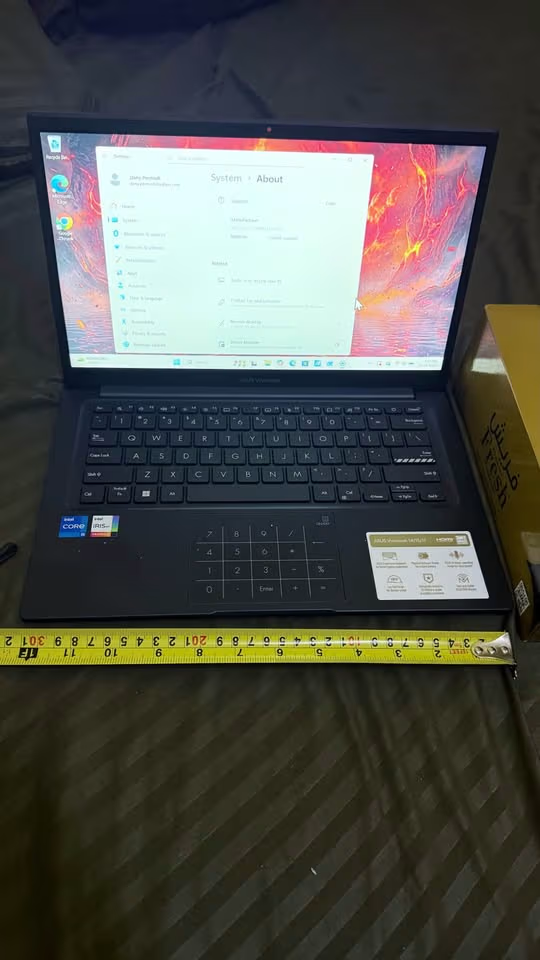
We have placed one measuring tape on top of ASUS Zenbook 14, and the chassis width was coming around 12.5 inches (31.7 cm) only. One typical 16-inch laptop like ASUS Vivobook 16? It is about 14 inches (35.8 cm) in width. So the real-world width gap is only around 4 cm, which is same like the width of two fingers only.
If you see across the popular models in Indian market, the specs are matching like this:
| Spec | Typical 14-Inch Laptop | Typical 16-Inch Laptop |
| Screen Diagonal | 35.56 cm (14″) | 40.64 cm (16″) |
| Chassis Width | ~31–32 cm | ~35–36 cm |
| Chassis Depth | ~21–22 cm | ~24–25 cm |
| Weight Range | 1.4 – 1.7 kg | 1.8 – 2.4 kg |
| Thickness | 15–18 mm | 17–22 mm |
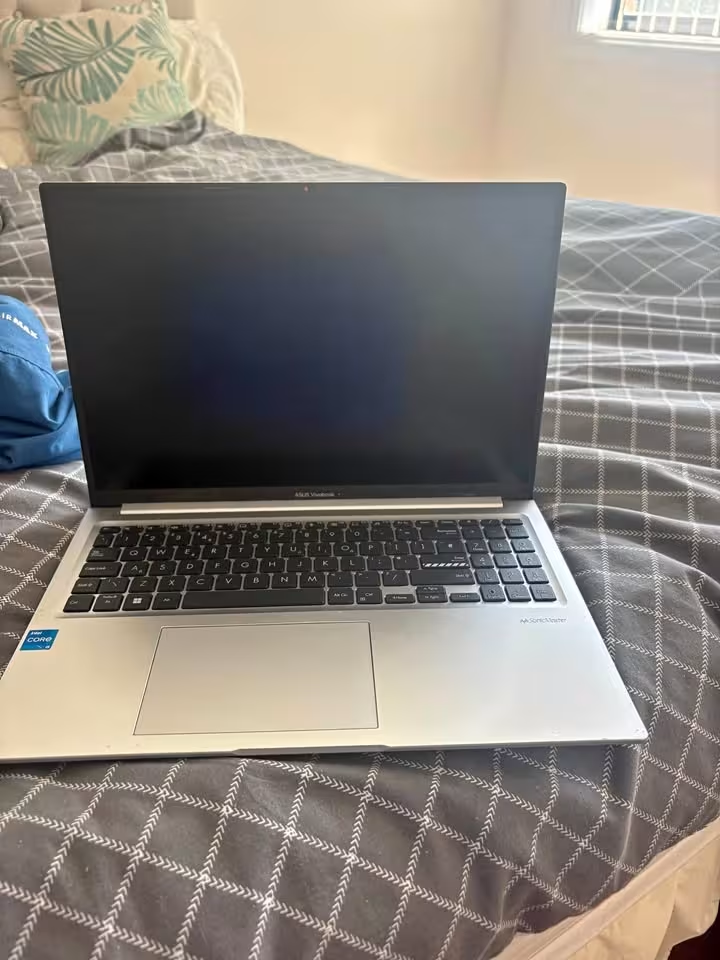
The ASUS Vivobook 16 (shown in above picture) is looking very large in the photos. But on the desk, it is only little bit bigger than its 14-inch brother model. The modern 16-inch laptops are using very thin bezels nowadays, so they are fitting one bigger screen inside a body which is only slightly more bigger than what the 15.6-inch laptops were having 3 years before.
Bottom line is: The size gap is feeling much more bigger in your mind than what it is actually on the desk in real. Please don’t let this screen-size tension drive your decision before you are seeing both of them in person physically.
Weight and Portability — Does 300–500 Grams Really Make Difference?
In paper, 300 to 500 grams is looking like nothing. But when you putting it in backpack and walking 20 minute to metro station, this small weight is becoming heavy very fast.
The Backpack Test — Carrying Laptop to College, Office or Client Meeting
Real world math is telling the full story. One 14-inch laptop like ASUS VivoBook S14 is weighing around 1.39 kg only. Then you add the charger (around 200g) and the bag itself (around 600g). So total carry weight is becoming approximately 2.2 kg.
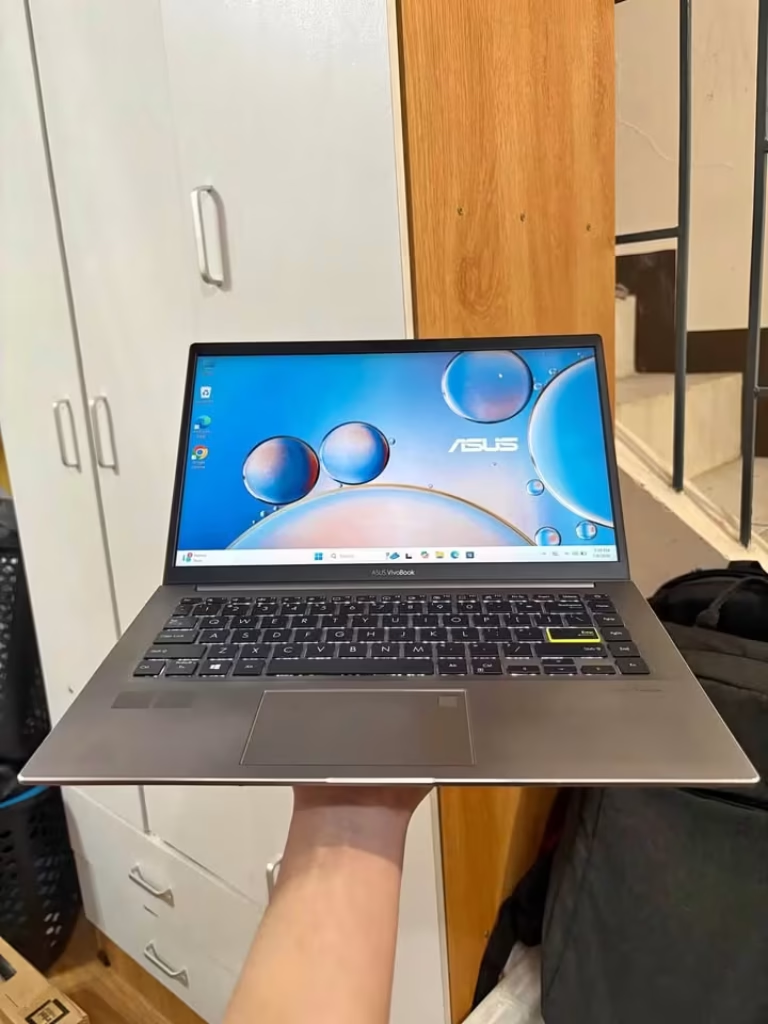
We are holding the ASUS VivoBook S14 in one hand only, and it was feeling comfortable. This is that type of laptop which you can take out at café table without doing full rearrangement of your things. In normal backpack, you almost don’t feel it is there.
Now do the comparing with 16-inch one. The ASUS Vivobook S16 is weighing around 1.69 kg. Charger is also around 350g (mostly the brick is bigger size). Same bag we are using. Total carry weight is becoming approximately 2.6 kg.
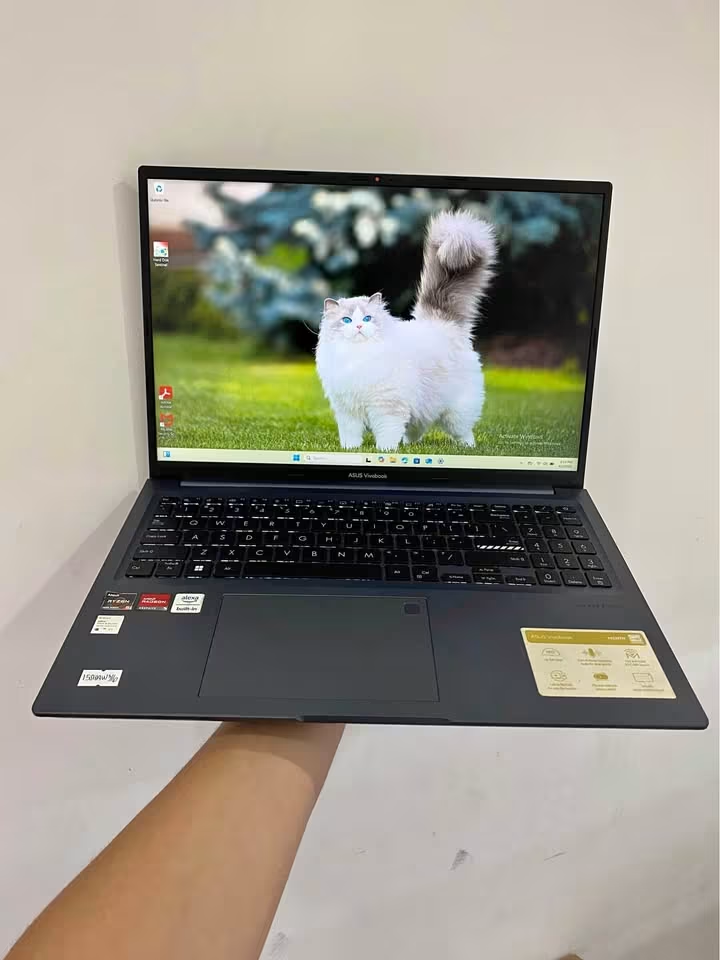
The Vivobook S16 also you can hold in one hand, we did the testing ourself, but the extra weight you are feeling immediately on your hand. For few minutes it is not uncomfortable. But for full commute time, your shoulder is definitely knowing the difference.
When the weight gap is mattering:
- You are walking more than 10 minutes for reaching your bus or metro stop
- Your backpack is already having water bottle, notebooks and one charger brick inside
- You are shifting between classrooms or meeting rooms many times in one day
- You are doing work regularly from café or co-working space
When it is not mattering at all:
- The laptop is only living on your desk at home
- You are driving to office and carrying laptop only from car till office
- You are using one dedicated laptop bag which has proper weight distribution system
Will a 16-Inch Laptop Fit in My Bag?
This thing catch many people off-guard. Most of the standard laptop backpacks from Wildcraft, American Tourister, and Safari, they are made for “up to 15.6 inches” only. A 16-inch laptop is having chassis width around ~35–36 cm. Some 15.6-inch bag compartments are maxing out at 37 cm internal width, which is meaning your 16-inch laptop maybe will fit, but it become tight squeeze with no space for sleeve also.
Our advice is simple: Don’t match screen size with bag size directly. Better you check the laptop chassis width (it is available on manufacturer spec page) against your bag’s laptop compartment dimension. A 2-cm margin is good ideal. If your current bag is not fitting, then keep budget ₹1,000–1,500 for a bag upgrade. It is worth the money.
Screen — What You Can Actually See on 14 vs 16 Inches?
Portability is one convenience factor. But screen size, this is productivity factor. Here only the real debate is starting.
Coding, Excel Sheets, and Split-Screen Multitasking
B.Tech students and IT professional people, this section is mattering most for you all.
In a 14-inch 1920×1080 screen, when you open VS Code and browser in side-by-side, each window is getting roughly 640 pixel width. It is workable, yes, but you will be doing horizontal scrolling again and again for longer code lines, and the browser also feels too cramped.
On 16-inch side, the same 1920×1080 resolution is giving each split window approximate 760–800 pixels. Those extra 150 pixels are meaning 8–10 more characters become visible per line inside your code editor. This may sound like trivial thing, until you are reading one long line of code and the last few words getting cut off, forcing you for scrolling right just to see how the line is ending. Do this fifty times in one hour, and it is killing your focus completely.
Excel and Google Sheets: A 14-inch screen is comfortably showing columns A till F without any scroll. But 16-inch is extending this up to columns I or J. Anyone who is building financial model, managing inventory sheet, or working with big datasets — those extra 3–4 visible columns are saving surprising amount of time daily.
Split-screen multitasking: Running Zoom in one side and taking notes in other side, it is functional on 14-inch but only comfortable on 16-inch. This difference is mattering a lot during 3-hour online classes or back-to-back client calls.
Video Editing, Graphic Design, and Colour-Critical Work
Any person who is editing video on DaVinci Resolve or Adobe Premiere Pro, they will feel the difference most on the timeline area. A 16-inch screen is showing more clips without zooming inside, which is meaning less scroll-and-search moments during the editing flow.
For Photoshop and Illustrator users also, the extra screen area is reducing constant panning and zooming work. One full A4-size design at 100% zoom is filling the entire 14-inch screen with almost no space left for toolbars. But with 16 inches, you are getting some breathing room finally.
There is also one spec advantage. Most 16-inch laptops in the ₹50,000–₹80,000 range are now shipping with 2560×1600 resolution and 100% sRGB color accuracy. But many budget 14-inch laptops in same price range, they are still using 1920×1080 panels with only 60–70% sRGB coverage. For colour-critical work, 16-inch models are shipping with better panels at every price point.
Watching Movies and OTT Content — Does the Size Really Matter Here?
Honestly speaking? Yes it matters, but this thing should not become the main reason for your buying decision.
A 16-inch screen is, no doubt, better for watching movies on bed or in long train journeys. The viewing feel is more immersive, you can notice it clearly. But if you are already watching most of your contents on phone, tablet, or one external monitor at home — then this benefit is almost gone.
So please don’t spend ₹5,000 extra only for getting a bigger movie screen. That same money is much more useful if you put it in RAM or storage upgrade.
Keyboard and Trackpad — The Size Advantage Which Nobody is Talking
In this whole debate, only screen size is getting all the attention. But actually keyboard and trackpad also are changing same much between 14 and 16 inch models, and peoples are ignoring this part fully.
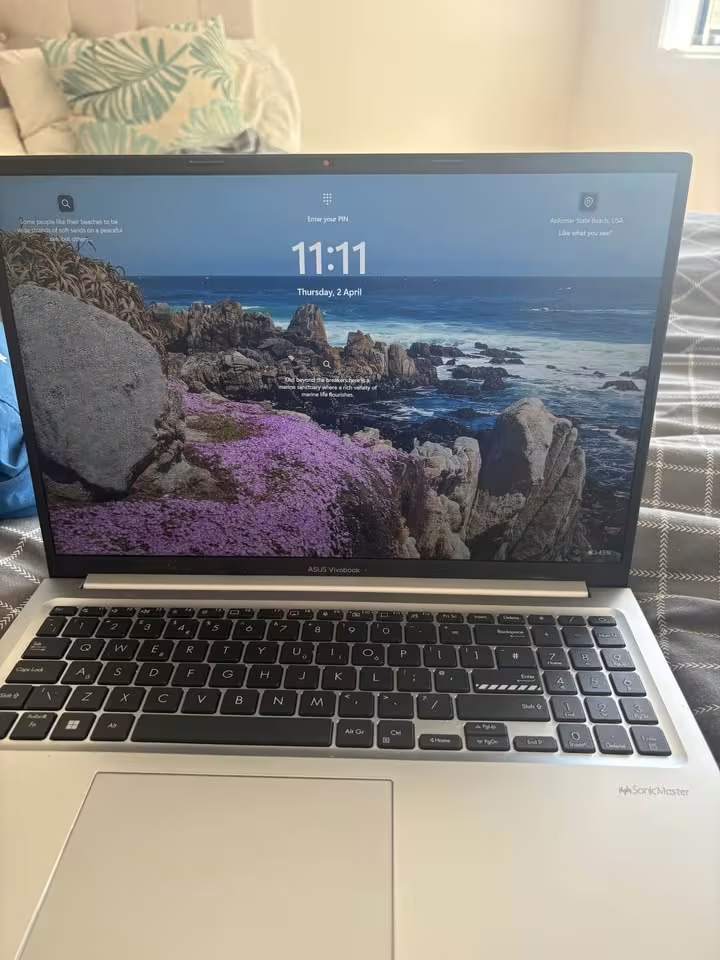
See the ASUS Vivobook 16 keyboard in above picture. Full size layout is there only. One dedicated number pad also is given. Trackpad also is spacious one. For B.Tech students who are doing daily calculations, for accountants who is managing big big spreadsheets, or for data entry type job peoples — only the numpad itself is saving lot of real time. Instead of going again-again to the number row at the top side, you are getting one proper calculator-style layout right below your right hand, which is feeling very natural after some days of using.
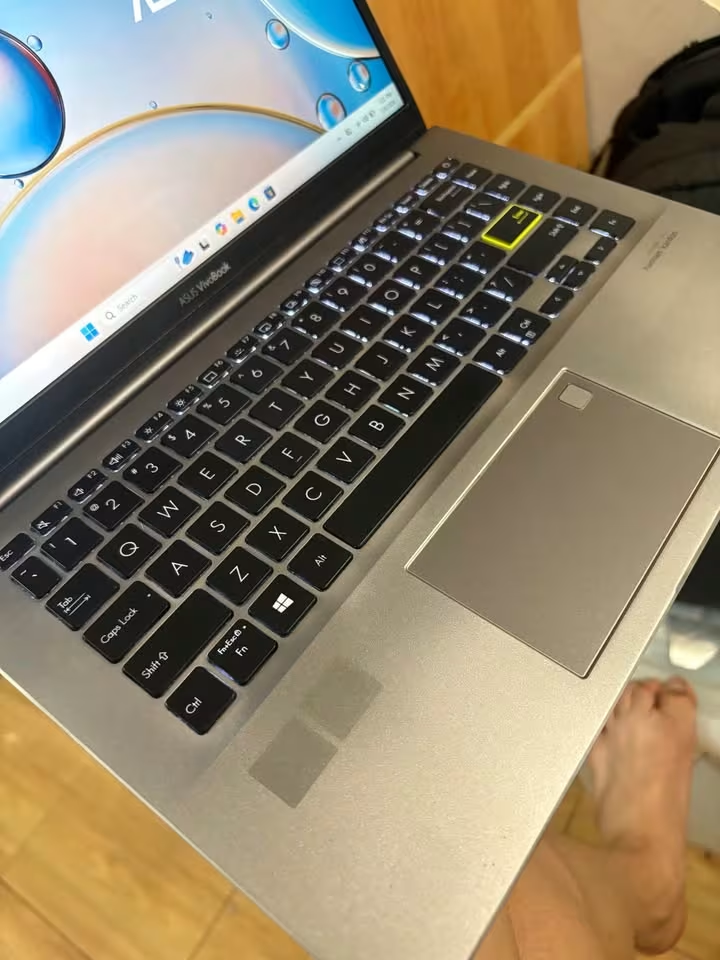
Now do compare it with the Vivobook S14 keyboard. No numpad is there. Key spacing also is little tighter than the 16-inch one. Trackpad is clearly small in size. I am not saying this is bad thing — 14-inch keyboards are totally fine only for typing work, coding, and normal daily usage. But the difference is becoming visible the same moment when you are keeping both laptops side by side on the table.
One trade-off which nobody is talking: On a 16-inch laptop where numpad is present, the main keyboard area is shifting towards left side from the center. So your hands are not getting aligned with screen center properly. Some peoples are finding this little uncomfortable during long typing sessions, specially the writers. But in 14-inch laptop, since numpad is not there, the keyboard is sitting perfectly in the middle only. That is why writers and heavy typing peoples are mostly preferring this 14-inch layout itself.
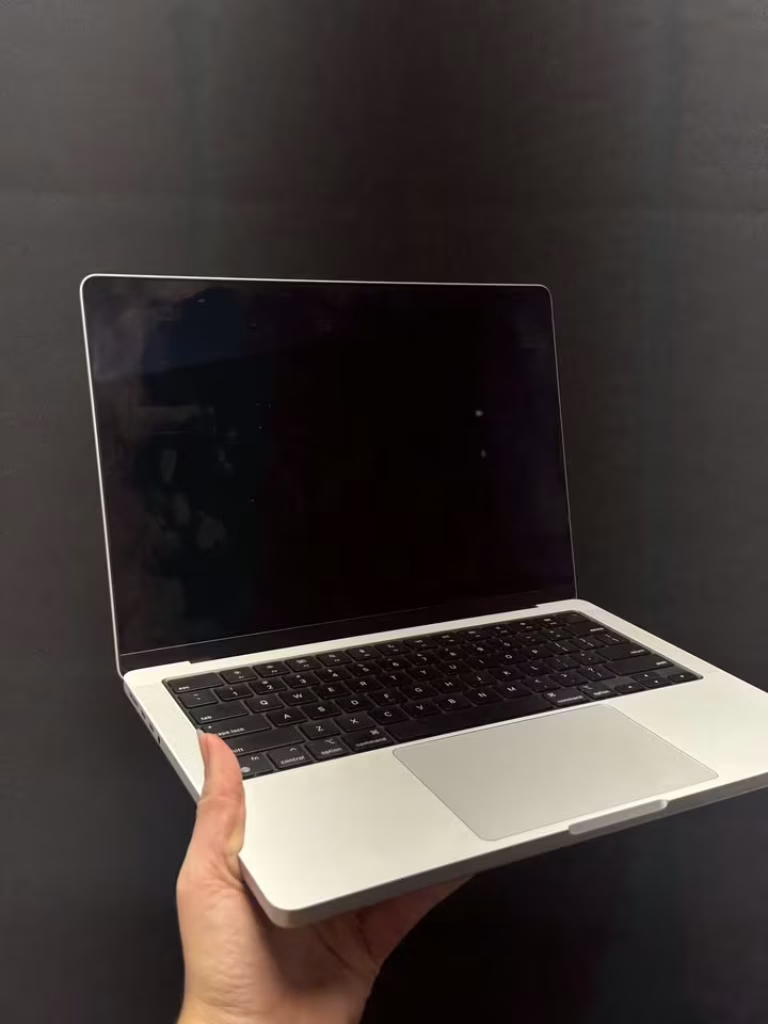
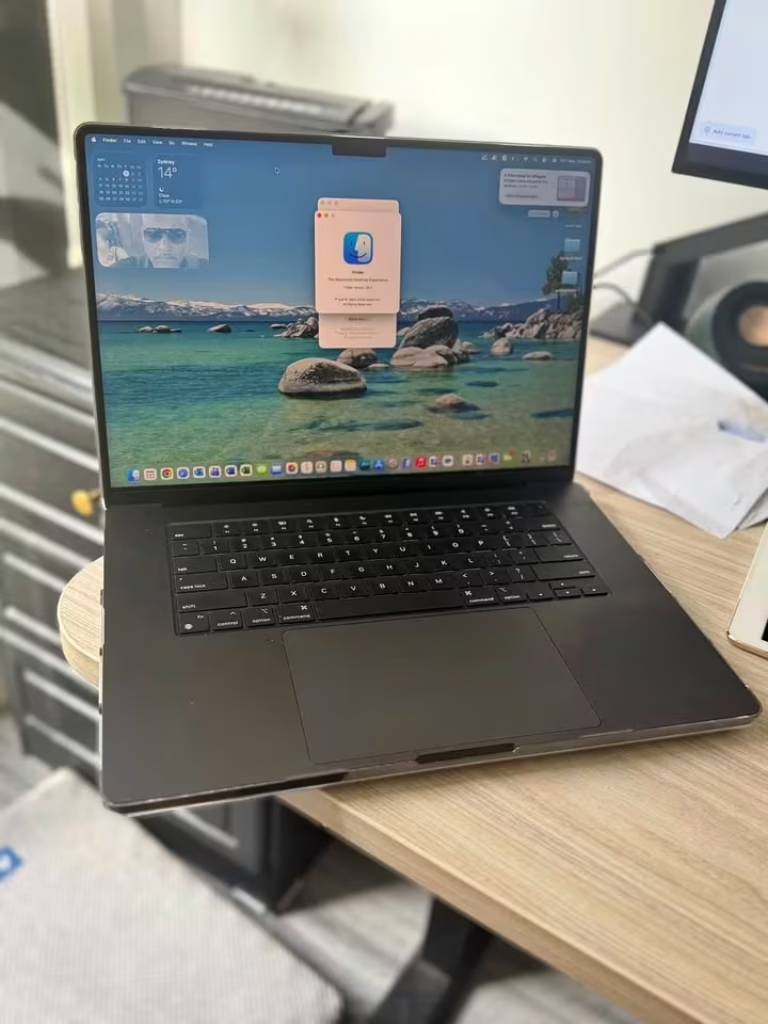
About trackpad part: 16-inch laptops are generally giving around 15–25% more trackpad area by surface size only. Multi-finger gestures like pinch-to-zoom or three-finger swipe are registering more accurately on one bigger surface, this thing I have noticed personally also.
Battery Life — Do Smaller Laptops Last Longer?
The logical thinking is simple: smaller screen = less power consume = longer battery. But actual answer is more complicated than this.
A 14-inch laptop normally have a 42–55 Wh battery inside. A 16-inch one usually carry 50–80 Wh battery. So bigger laptop is having bigger battery, yes, but it also need to power a larger screen, mostly a more power-hungry processor also, and the fans are bigger too. All these things roughly cancel out each other.
We collected the battery data from models which are available in India:
| Model | Screen Size | Battery Capacity | Real-World Battery Life* |
| ASUS Vivobook 14 (2025) | 14″ | 42 Wh | ~6–7 hours |
| ASUS Vivobook 16 (2025) | 16″ | 50 Wh | ~5.5–6.5 hours |
| Lenovo IdeaPad Slim 3 (14″) | 14″ | 47 Wh | ~7–8 hours |
| Lenovo IdeaPad Slim 3 (16″) | 16″ | 52.5 Wh | ~6–7 hours |
| MacBook Air M3 (15″) | 15.3″ | 66.5 Wh | ~11–12 hours |
| MacBook Pro M4 (16″) | 16.2″ | 100 Wh | ~14–16 hours |
*Based on mixed usage: Wi-Fi browsing, editing documents, video playback in 50% brightness.
What is the pattern here? Within same brand and same series, the 14-inch variant is lasting about 30 to 60 minutes longer. But the processor choice (Intel vs AMD vs Apple Silicon) and the display type also (OLED vs IPS LCD) is having much bigger impact on the battery life compare to only screen size.
Our take: Do not choose between 14 and 16 inches only on the basis of battery life. The gap is not big enough that it will matter. If battery life is your main priority, then you should look at the chip — Apple M-series and AMD Ryzen 7000/8000 series is performing better than Intel in power efficiency, in both the sizes.
Thermal Performance and Cooling — Bigger Laptop, Better Cooling?
More space inside the chassis is meaning more room for heat pipes, fans which are larger, and better airflow also. This is giving 16-inch laptops one measurable cooling advantage.
This is mattering because when a laptop become too much hot, it does thermal throttle — the processor is slowing itself down deliberately to reduce the heat. You will not see any error message for this. You will just notice that your game is stuttering, your video export is taking 20% more time, or your code compilation is getting stuck in middle.
Take the example of same Intel Core i5-13420H processor. In a 14-inch chassis, during the sustained load (like one 45-minute rendering job), the surface temperatures can reach 48–52°C and the CPU may throttle around 10–15%.
Where thermal performence matter:
- Gaming session which is longer than 30 minute
- Video rendering inside Premiere Pro or the DaVinci Resolve
- Compiling of large codebases (like Android Studio builds, C++ projects)
- Running the virtual machines or Docker container
- Training ML model in local system
Where it is not mattering much:
- Web browsing, Google Docs and email checking
- Watching the contents on YouTube or Netflix
- Light photo editing works
- Normal day to day college or office type work
One thing which you should keep in your mind: Premium 14-inch laptops like MacBook Air M3 or the Dell XPS 14 is handling thermals remarkly well, because they are using power-efficient chips which is designed specially for thin chassis only. The thermal gap is mostly noticable in budget and mid-range Windows laptops (around ₹40,000 to ₹70,000 range), where both the sizes is often sharing same high-power processor but without the equally matched cooling system.
No more comparing. Here is direct suggestion for every type of user.
B.Tech or Engineering Students Pick: 14-inch. Explore the best 14 inch laptop options before you finalise your budget. You’re carrying this to labs, libraries, classrooms, and hostels. Weight is matter daily basis. Most of the coding work is doable in 14 inch only, and for the serious development session, anyway you will connect one external monitor most of time. Better Save the ₹5,000 and put it toward 16GB RAM instead — but first, check is 8GB RAM enough for beginners learning programming.
IT Professionals and Software Developers Pick: 16-inch. Side by side code editor + terminal + browser, this is your daily workflow thing. The extra screen width is reducing context-switching fatigue a lot. Also better thermals is helping during the long compilation jobs. If your work is from one fixed desk only, then the portability trade-off is not applying for you.
Working Professionals (Non-Tech — HR, Sales, Marketing) Pick: 14-inch. Your work load is mostly email, spreadsheet, presentation and video calls only. None of these is demanding any big screen. One lighter laptop is making the client visit, airport travel and meeting-room hopping more easier. 14 inch is handling all this nicely.
Gamers on a Budget (Under ₹70,000) Pick: 16-inch. Gaming laptop is needing proper airflow. A 16-inch chassis is giving the GPU and CPU more room for breathing, which means less frame drops during the long session. The bigger screen also making FPS and open-world game more immersive feeling. For peak frame rates, your RAM speed matters too — see DDR5 4800MHz vs 5600MHz in Laptop – Which Is Better for Gaming?. Plus, most of the gaming laptop in this budget is anyway coming only in 15.6″ or 16″ size.
Content Creators and Video Editors Pick: 16-inch. Timeline visibility inside editing software, colour-accurate panel, and better thermal headroom for rendering work, 16-inch is winning on every metric which is mattering here. If you are editing on DaVinci Resolve or Premiere Pro on daily basis, the bigger screen is paying back itself through workflow speed only.
Students Who Just Need It for Notes and Browsing Pick: 14-inch. You are mostly typing notes, browsing web, attending online class and streaming some content. One lightweight and affordable 14-inch is handling all this without any slowdown, and also without making you tired from carrying.
14 vs 15.6 vs 16 Inch — But What About 15.6-Inch Laptop?
Before you go for shopping, one more size is coming again and again — and it making lot of confusion for buyers.
The 15.6-inch was a standard laptop size for more than ten years. Almost every mid-range laptop between 2015 to 2022 was come in this size only. But now the manufacturers are slowly removing it from market.
This shifting is happen because of thinner bezels. One 16-inch laptop in 2025 is fitting a bigger screen inside a body which is almost same size like a 15.6-inch laptop from 2020. The chassis dimension is nearly same — the extra screen space is coming from reducing the bezel thickness, not from making the laptop more bigger.
So if you are choosing between 14-inch and 15.6-inch, the logic is exactly same like 14 vs 16. The portability vs productivity trade-off is also applying in same way.
One exception is there: If you are finding a 15.6-inch laptop in heavy discount (end-of-life stock), it can give very good value for money. The technology inside is mostly same as the 16-inch variant, only the bezels are little bit thicker.
Frequently Asked Questions
No, not at all. Daily millions of developer are writing production level code on 14-inch screen only. For single application focus work, it is comfortable enough. But when you want side-by-side coding (like editor in one side, terminal in another side), sometime you feel little cramped feeling. One external monitor can solve this issue, costing around ₹8,000 to ₹12,000 only.
Yes you can, but honestly speaking, comfort level is less compare to 14-inch one. The chassis is wider, so it goes little beyond your thigh portion, and extra weight (around 1.8 to 2.4 kg) you will start feeling after 30 to 40 minutes of usage. On the desk surface, no problem at all, it works perfectly fine.
Many time yes, specially if both are from same brand and using same processor inside. Now a days lots of modern laptops are coming with USB Type-C charging, which is universal type. But, 16-inch gaming laptops mostly need high wattage barrel-pin charger (like 120W to 180W range), which is heavier in weight and not interchangeable with normal one.
Generally speaking, yes it is better. Because thermal headroom is more, so GPU can hold higher clock speed for longer time without throttling. Also bigger screen gives more immersion feeling during gameplay. That is the reason most of dedicated gaming laptops are coming in 15.6 inch or 16 inch size only.
If portability is matter for you, then better go for 14-inch laptop and pair it with one external monitor (₹8,000 to ₹15,000 you can get decent 22 to 24 inch IPS display). This way you are getting best of both world, portable when you are moving, and dual-screen productivity when you are sitting at desk. Many time this combination is costing less than one premium 16-inch laptop, and giving better work experience also.
Directly no. Eye strain is mainly coming from brightness setting, distance between screen and your eyes, panel quality, and how long you are using continuously, not from screen size. Smaller screen at correct distance is not causing more strain than bigger one. If eye comfort is your concern, then look for displays having low blue-light certification and flicker-free technology, both are available in 14-inch and 16-inch also.
As of 2025 to 2026 time, 15.6-inch is still the most selling size, mainly because of legacy stock inventory. But 14-inch and 16-inch sizes are growing very fast, and by end of 2026, they are expected to dominate new launches in market. In fresh purchase category, 14-inch is leading in Ultrabook and productivity segment, whereas 16-inch is leading in gaming and content creator segment side.